Connect to
everything.
11 built-in integrations across 5 categories. Each can bring tools, skills, carapaces, and workflows — activated per-channel.
Communication
Bridge iMessage via BlueBubbles server for native Mac messaging integration with wake word detection.
- iMessage send and receive via BlueBubbles
- Webhook + Socket.IO listeners
- Wake word detection for multi-bot routing
- Message routing to channels
bb:iMessage;-;+15551234567 Connect to Discord servers with bot token authentication, channel routing, and embedded responses.
- Bot token authentication
- Channel routing and configuration
- Embedded response formatting
- Threading support
discord:CHANNEL_ID IMAP-based email integration with cursor-based polling, triage protocols, feed ingestion, and digest generation.
- IMAP polling with cursor-based resume
- Content feed integration via ingestion pipeline
- Email triage protocol with AI classification
- Digest generation and summarization
- Send and reply to emails
gmail:[email protected] Full Slack workspace integration with Socket Mode, passive memory, multi-bot channels, and emoji tool indicators.
- Socket Mode listener — no public URL needed
- Passive memory: messages without @mention stored as context
- Multi-bot channels via /ask command
- Custom display names and emoji reactions per bot
- File attachment handling and sharing
slack:CHANNEL_ID Development
Run Claude Code CLI inside a bot's Docker workspace with configurable turns, timeout, and permission modes.
- Harness integration with Claude CLI
- Docker workspace isolation
- Configurable max turns, timeout, and permission modes
- Allowed tools whitelist (Read, Write, Edit, Bash, Glob, Grep)
Webhook-driven GitHub integration with 11 tools for PR review, issue management, commit browsing, and code search.
- Webhook events: PRs, issues, comments, pushes, releases
- 11 agent tools: PRs, issues, commits, branches, file browsing
- Event-specific execution configs with model overrides
- Post responses as PR review comments
github:owner/repo VS Code integration for editor-based agent interaction and workspace synchronization.
- Editor integration
- Workspace synchronization
Platform
4-layer security pipeline for content feeds with AI classification, quarantine, and structured ingestion.
- Content feed base class for custom sources
- 4-layer security pipeline (hash, pattern, LLM, quarantine)
- AI-powered content classification
- Quarantine system for suspicious content
Visual project management dashboard with kanban boards, plans, timelines, content feeds, and a full sidebar navigation. Built as a standard integration — fork it, replace it, or use it as a template for your own dashboard.
- Kanban task boards with card management tools
- Plans and timelines with step tracking
- Activity feeds and status tracking
- Containerized dashboard UI (port 9100)
- 8-item sidebar: Dashboard, Kanban, Timeline, Plans, Journal, Memory, Setup, Settings
- Built as a regular integration — copy, modify, or replace with your own
Media
Full media automation: Sonarr, Radarr, qBittorrent, Jellyfin, Jellyseerr, and Bazarr — all controllable by bots.
- Sonarr: TV show search, calendar, queue, commands
- Radarr: movie search, queue, releases, commands
- qBittorrent: torrent status and management
- Jellyfin: now playing, library browsing, user management
- Jellyseerr: request management and search
- Bazarr: subtitle search and management
Home Automation
Security camera integration with MQTT event listener, detection-based execution, snapshot/clip retrieval, and 8 agent tools.
- MQTT event listener with camera/label/score filtering
- Detection-based agent execution with event preambles
- 8 tools: cameras, events, snapshots, clips, stats, recordings
- Configurable cooldown and minimum detection score
frigate:events Three layers, fully pluggable.
Every integration follows the same three-layer pattern. Drop in a directory with the right files and Spindrel discovers it automatically on restart.
Router
FastAPI endpoints for webhooks, configuration, and API calls. Mounts at /integrations/{id}.
Dispatcher
Delivers agent results to external services — Slack messages, GitHub comments, email replies, etc.
Hooks
Lifecycle events — emoji reactions, display names, metadata injection, activation handling.
Plus auto-discovered resources:
tools/*.pyAgent toolsskills/*.mdKnowledge docscarapaces/*.yamlExpertise bundlesworkflows/*.yamlAutomationsprocess.pyBackground servicesetup.pyManifest & configDynamic per-channel connections.
Each channel can activate integrations independently. When activated, the integration's carapace injects tools, skills, and behavioral guidance — the bot instantly knows how to use it. Dispatcher bindings route results back to the right external service.
Activation
Toggle an integration on a channel. Its carapace auto-injects — the bot gains tools and skills for that integration without any config changes.
Dispatcher Bindings
Connect the channel to an external target (a Slack channel, a GitHub repo, an email address). Results from the bot are delivered back to that target automatically.
Per-Channel Config
Each binding can have its own config — event filters, camera selections, target addresses. Defined by the integration's config_fields.
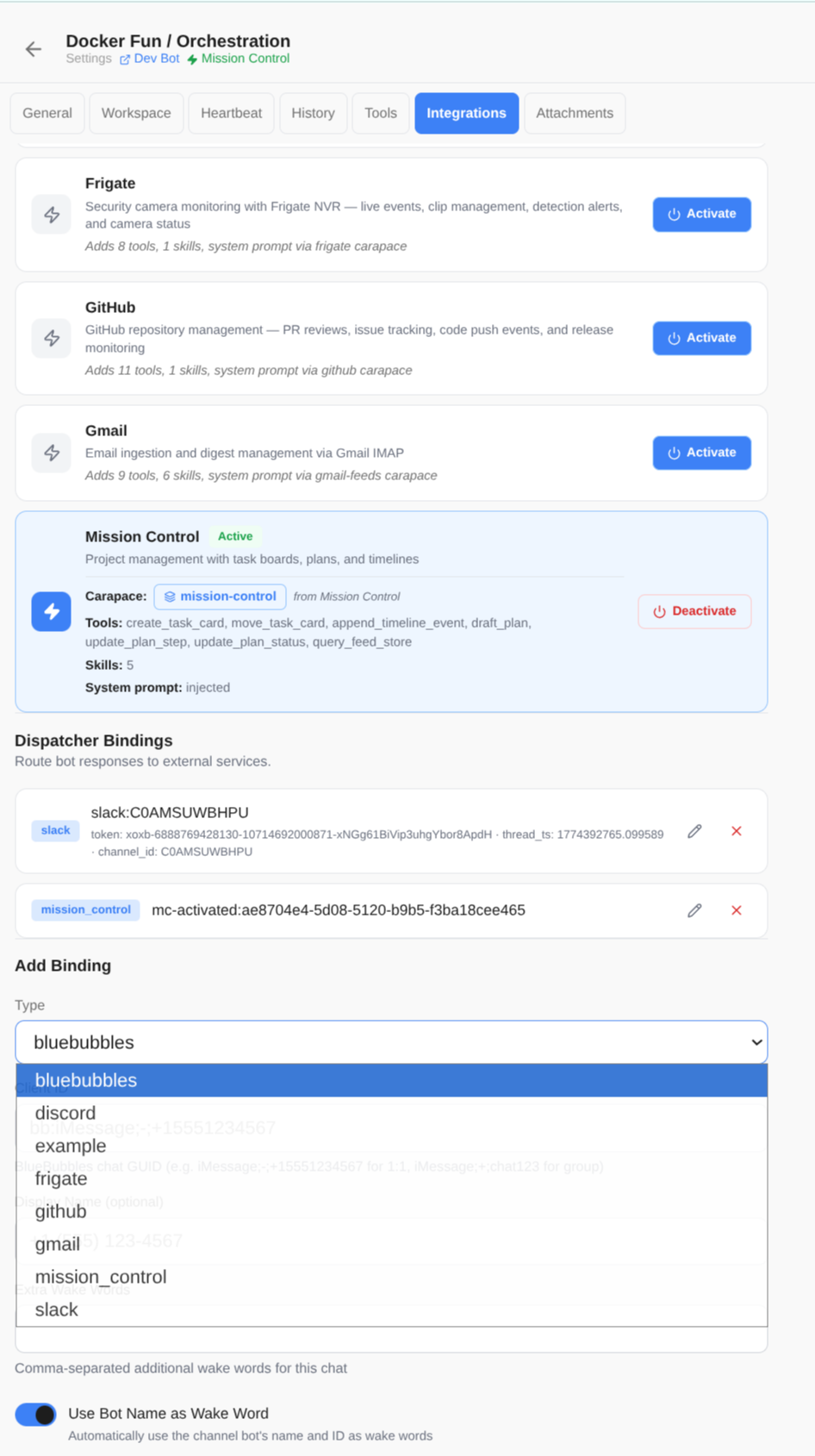 Channel integrations with activations and dispatcher bindings
 Per-channel, on demand.
When you activate an integration on a channel, its carapace is automatically injected — the bot gains tools, skills, and behavioral guidance without touching bot config. Other channels are unaffected.
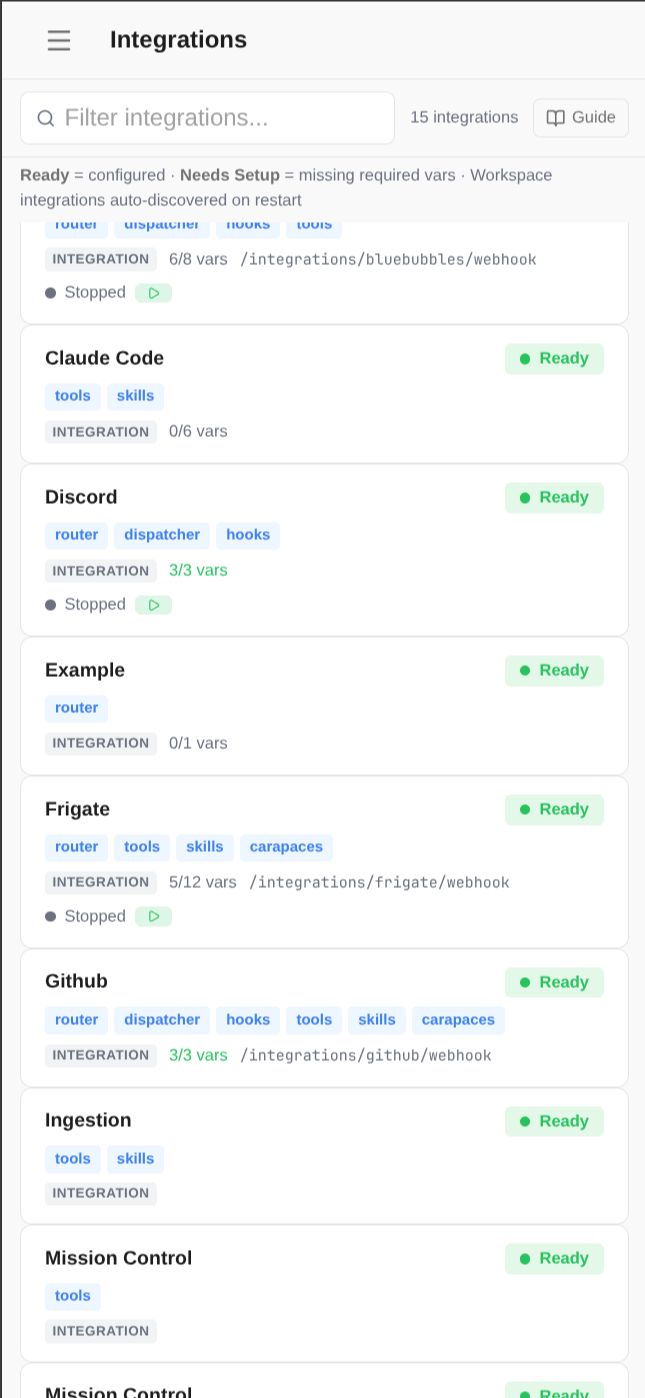
Anatomy of an integration.
Every integration lives in its own directory under integrations/. Here's every file Spindrel
looks for and what it does. All files are optional except router.py.
integrations/my-service/
  setup.py          # manifest: env vars, webhook, activation, binding, sidebar
  router.py         # FastAPI endpoints (required)
  dispatcher.py     # result delivery to external service
  hooks.py          # lifecycle hooks + metadata registration
  config.py         # settings loader + identity fields
  process.py        # background service declaration
  tools/
    my_tool.py      # @register decorated Python functions
  skills/
    guide.md        # Markdown knowledge docs (auto-synced)
  carapaces/
    expert.yaml     # expertise bundle (auto-seeded)
  workflows/
    pipeline.yaml   # multi-step automation (auto-synced)
The SETUP manifest
setup.py declares a SETUP dictionary that tells Spindrel everything about your integration.
Every field is optional.
icon string Lucide icon name shown in the admin UI.
env_vars list Environment variables with key, required, description, default, and secret flags. Config is stored in DB with env var fallback.
webhook object Declares a webhook endpoint with path and description. Registered on startup.
activation object Carapace injection manifest: carapaces to inject, compatible_templates, requires_workspace, and includes (inherit from other integrations).
binding object Channel binding config: client_id_prefix for auto-detection, config_fields for per-channel settings (multiselect, string, boolean).
api_permissions list | string Scoped API permissions (chat, bots:read, channels:write, etc.). Auto-provisions a scoped API key for the integration.
sidebar_section object Custom navigation section in the admin UI with title, icon, and menu items.
web_ui object Static build directory for custom dashboards. Served at the integration's route.
dashboard_modules list Sub-pages with id, label, icon. Mounted under the integration's dashboard.
python_dependencies list Required Python packages checked on startup. Each with package (pip name) and import_name.
Example: GitHub integration manifest
# integrations/github/setup.py
SETUP = {
    "icon": "Github",
    "env_vars": [
        {"key": "GITHUB_TOKEN", "required": True, "secret": True,
         "description": "Personal access token"},
    ],
    "webhook": {
        "path": "/integrations/github/webhook",
        "description": "GitHub webhook events",
    },
    "activation": {
        "carapaces": ["github"],
        "compatible_templates": ["devops", "qa"],
        "description": "PR reviews, issue tracking, code browsing",
    },
    "binding": {
        "client_id_prefix": "github:",
        "client_id_placeholder": "github:owner/repo",
        "config_fields": [
            {"key": "event_filter", "type": "multiselect",
             "options": [{"value": "pull_request", "label": "Pull requests"}]},
        ],
    },
    "api_permissions": ["chat", "bots:read", "channels:read"],
}
The three layers in detail
router.py
requiredA FastAPI APIRouter that auto-mounts at /integrations/{id}. Receives webhooks, serves config endpoints, and injects external events into agent sessions via inject_message().
dispatcher.py
optionalDelivers task results back to external services. Implements notify_start() for "thinking" placeholders and deliver() for final results. Registered by dispatch type (e.g., "slack", "github").
hooks.py
optionalRegisters metadata (client_id_prefix for auto-detection) and lifecycle callbacks: after_tool_call, after_response, before_run. Used for emoji reactions, audit logging, cleanup.
Auto-discovered resources
Drop files in these subdirectories and Spindrel auto-discovers them on startup. No registration code needed.
tools/*.py Python functions with @register(schema) decorator. Schema follows OpenAI function-calling format. Available to any bot when the integration is active.
skills/*.md Markdown knowledge documents synced to the skill registry. Referenced in carapaces with injection modes: pinned, rag, or on_demand.
carapaces/*.yaml Expertise bundles seeded into the carapace registry. Bundle skills + tools + a system prompt fragment that acts as a routing index.
workflows/*.yaml Multi-step automations synced to the workflow engine. Triggered via heartbeat, API, or bot tool. Steps can have conditions, timeouts, and failure modes.
process.py Declares a background process with CMD, REQUIRED_ENV, and optional WATCH_PATHS. Auto-started when env vars are set.
config.py Settings loader with DB-first, env-fallback pattern. Optional IDENTITY_FIELDS for user profile linking across services.
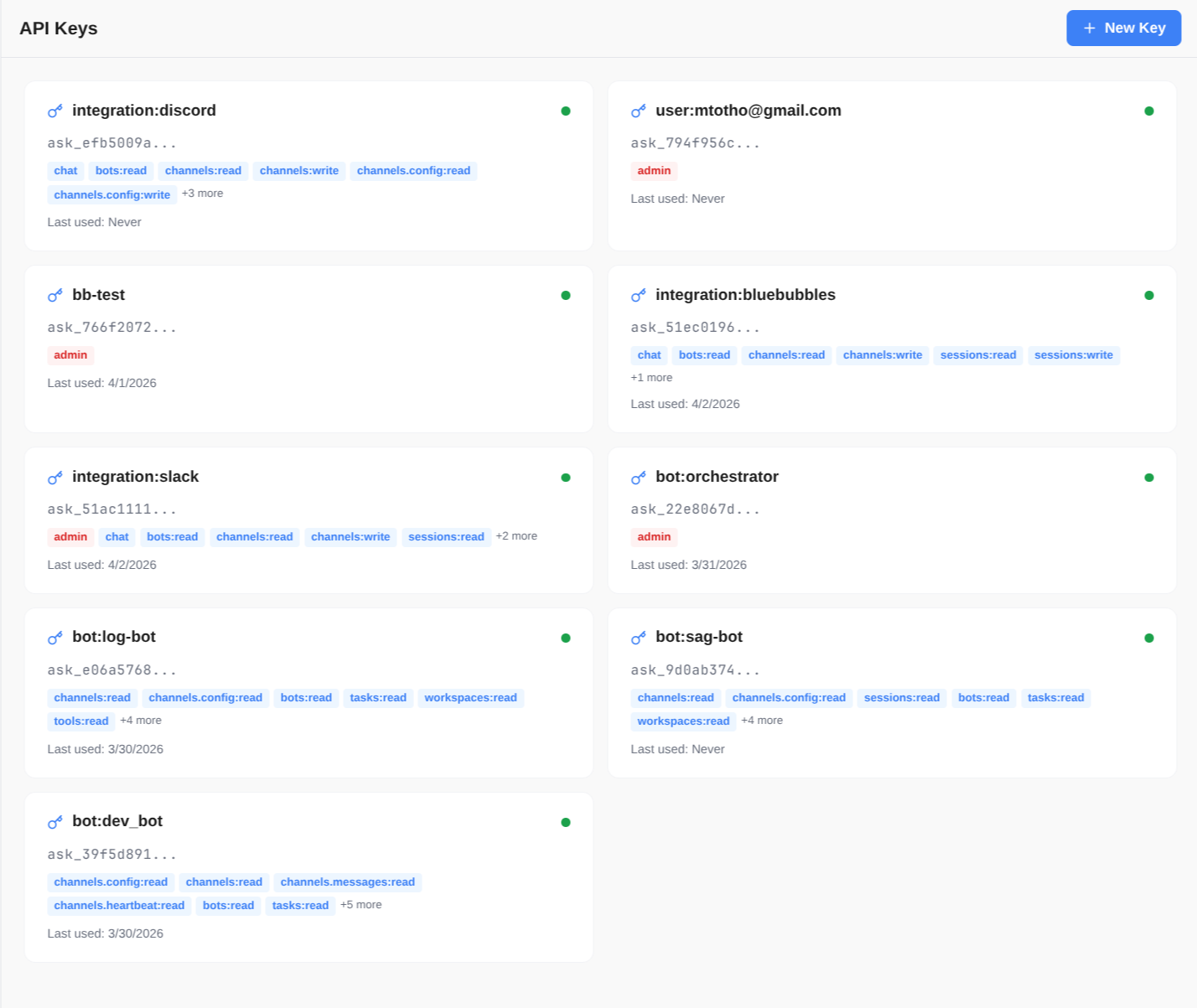 Scoped API keys auto-provisioned per integration
 Build your own integration.
Scaffold a new integration directory, add your router and tools,
and Spindrel discovers it on the next restart. Use the example integration as a template,
or scaffold to /workspace/integrations/ for external integrations that override built-in ones.
# Minimal integration — just a router and a tool

# integrations/my-service/router.py
from fastapi import APIRouter
router = APIRouter()

@router.post("/webhook")
async def webhook(body: dict):
    from integrations.utils import inject_message
    session = await get_or_create_session("my-service:123", "default")
    await inject_message(session, content=str(body), run_agent=True)
    return {"ok": True}
Priority order: external (INTEGRATION_DIRS env var) > packages > built-in.
Later sources override earlier ones, so you can extend without modifying core code.
Every built-in integration — including Mission Control — follows this same pattern.
Copy one, rename it, and customize to build your own dashboard or service connector.