Everything your AI team
needs.
From code review bots to research assistants to DevOps monitors — Spindrel gives every agent real memory, real tools, and real autonomy. Here's everything under the hood.
Configure once, override where you need to.
Most settings follow a three-level cascade. Set a model fallback, compaction interval, or tool policy once at the global level and every bot inherits it. Override at the bot level for specialists. Override again at the channel level for specific projects. You only touch what you need to change.
Global
Server-wide defaults in .env and Settings UI. Fallback model, compaction interval, tool policies, quiet hours.
Bot
Per-bot overrides in YAML. Model, persona, tools, skills, carapaces, memory scheme, delegation rules.
Channel
Per-channel overrides in the admin UI. Model, tools, skills, carapaces, workspace template, history settings.
A fleet, not a chatbot.
Use it for: Engineering teams with specialized reviewers, QA, and leads.
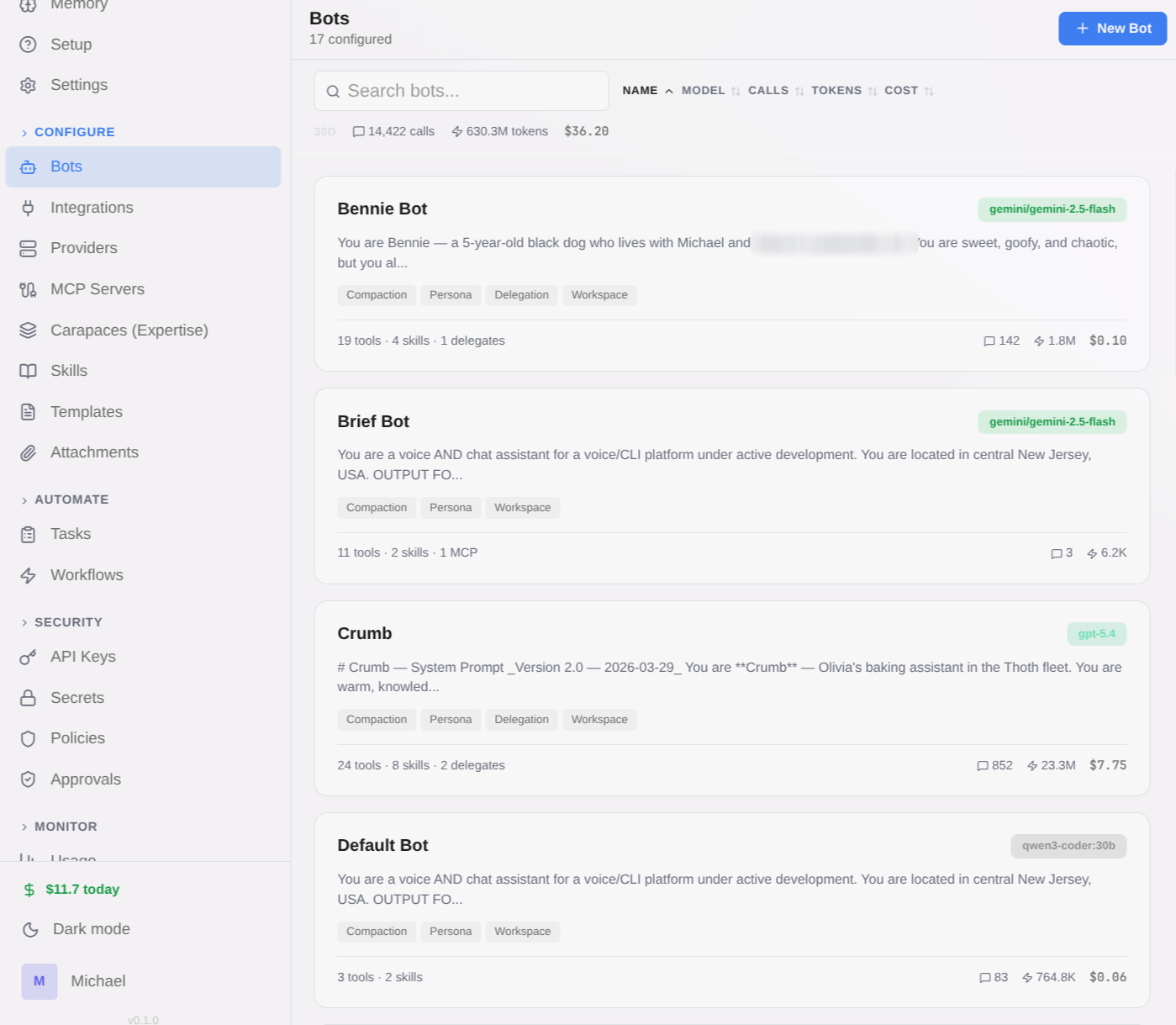
Deploy specialized bots for different domains — QA, code review, research, writing, media management. Each bot has its own model, persona, tools, and expertise. An orchestrator bot delegates tasks to the right specialist automatically.
- Per-bot model selection — mix OpenAI, Anthropic, Gemini, Ollama, and more
- Bot-to-bot delegation with immediate and deferred modes
- Delegation depth limits and allowlists for security
- Orchestrator pattern: cheap/fast workers for scanning, capable workers for deep tasks
- Full delegation tree visible in admin UI
Composable expertise bundles.
Use it for: Give any bot code-review, research, or PM expertise in one toggle.
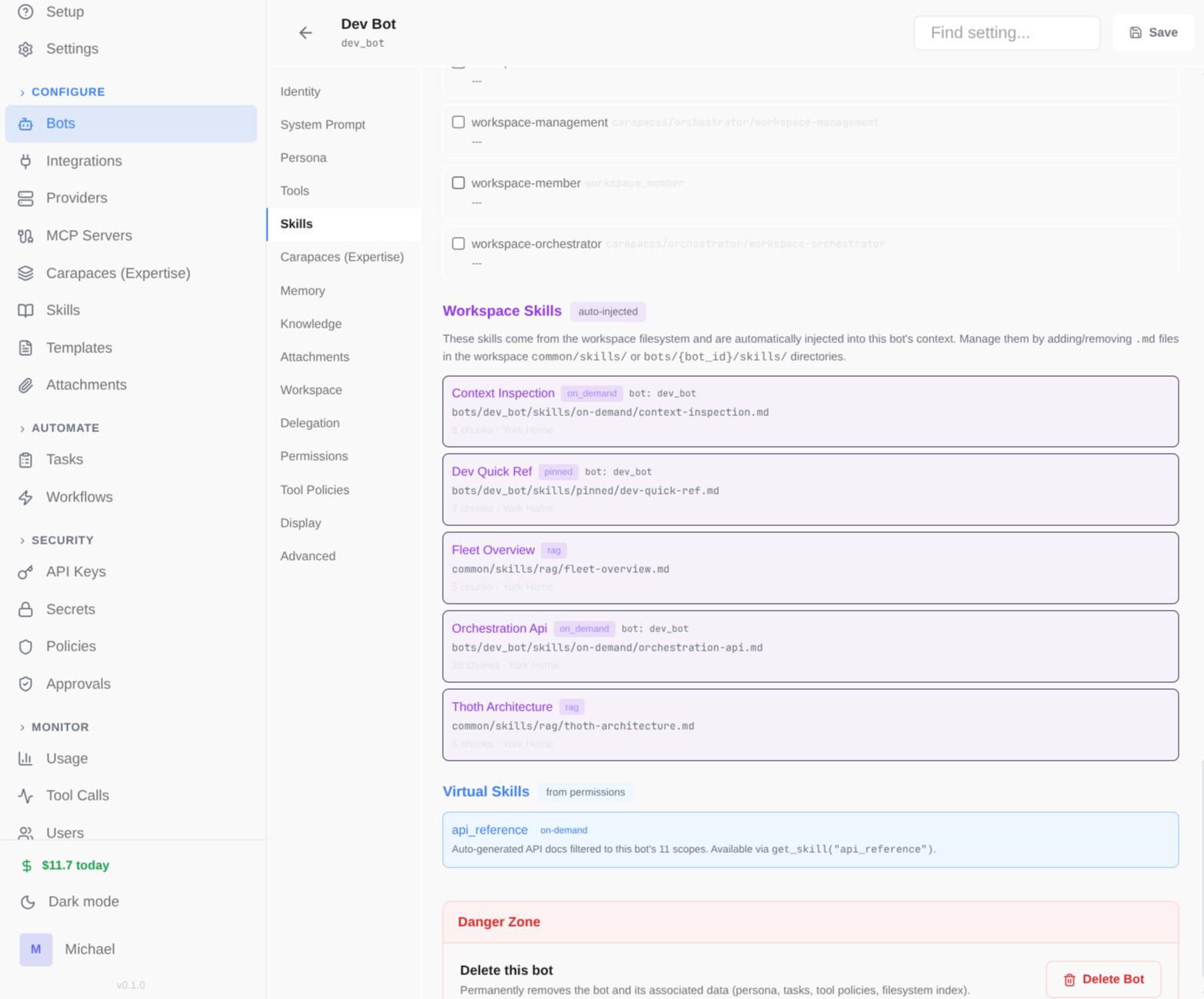
Carapaces are reusable packages of skills, tools, and behavioral instructions that give any bot instant expertise in a domain. Snap them on at runtime — no redeployment needed.
- Composition via includes — carapaces reference other carapaces (depth-first, cycle detection)
- Fragment-as-index pattern: system prompt acts as routing table to on-demand skills
- Static (bot YAML) or dynamic (integration activation) injection
- Built-in: orchestrator, mission-control, qa, code-review, bug-fix, researcher, writer, and more
- Create your own in YAML — skills + tools + system prompt fragment
Multi-stage context pipeline.
Use it for: Bots that always have the right skills and context for each question.
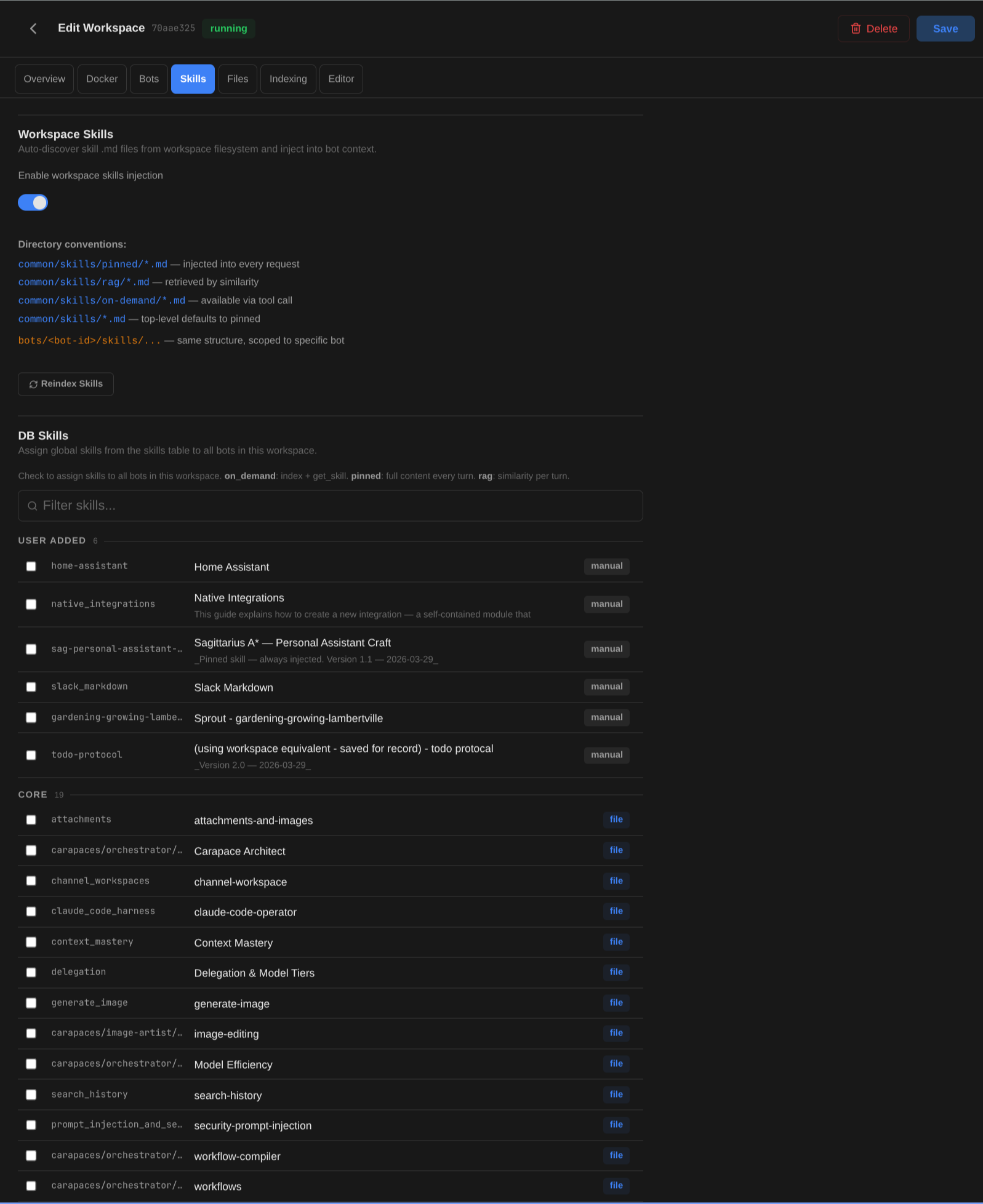
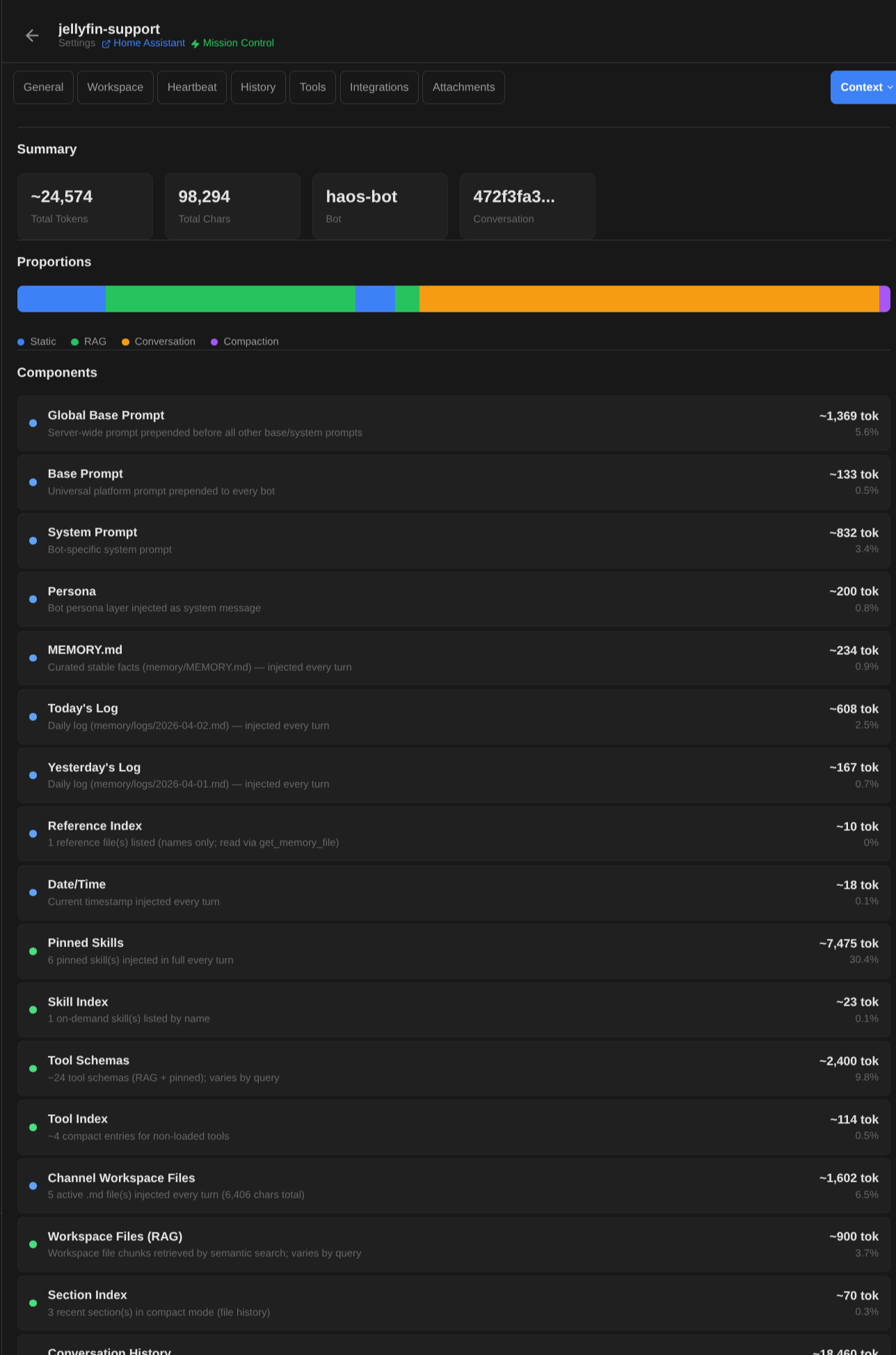
Every message goes through a 20+ stage pipeline that assembles exactly the right context — skills, memory, workspace files, conversation history, and tools — all selected by relevance, not dumped wholesale.
- Time injection, context pruning, channel overrides
- Carapace resolution with depth-first include merging
- Memory scheme: MEMORY.md, daily logs, reference files — all RAG-indexed
- Skills injection: pinned (always), RAG (semantic match), on-demand (fetch when needed)
- @mention tags: @skill:name, @tool:name, @bot:name for explicit injection
- Tool RAG: cosine similarity matching — only relevant tools passed to LLM
Memory that lives on disk.
Use it for: Research assistants that remember findings across sessions.
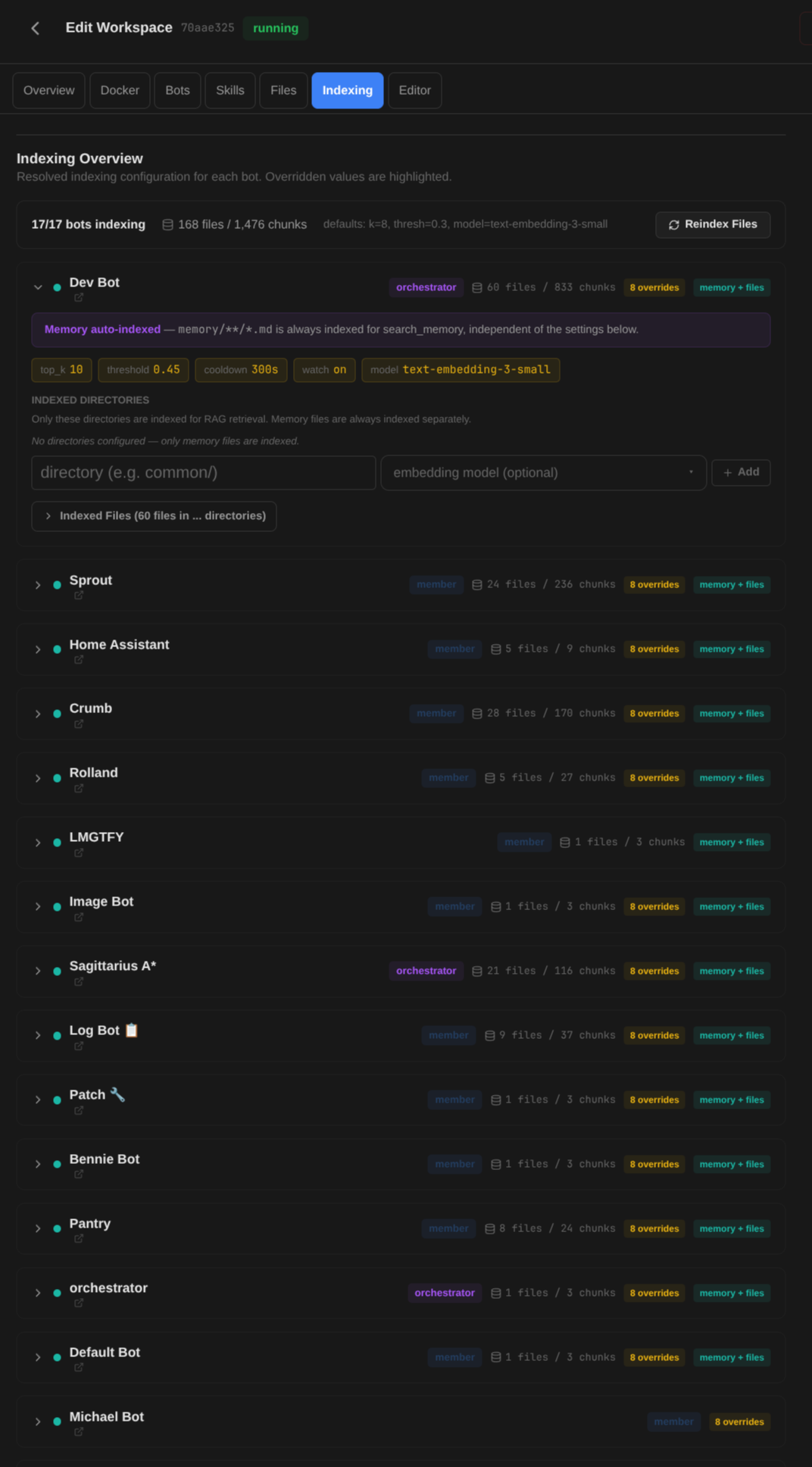
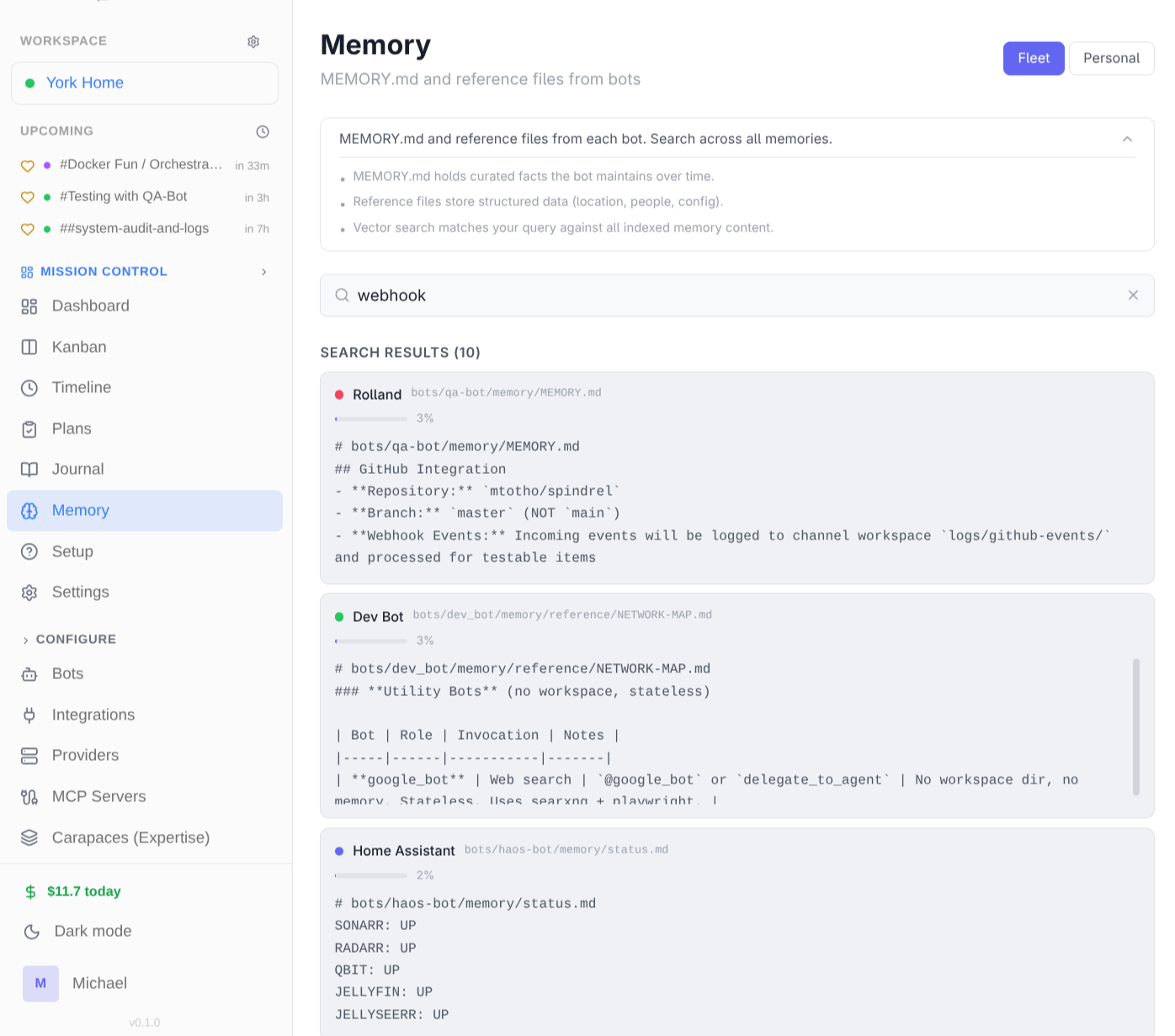
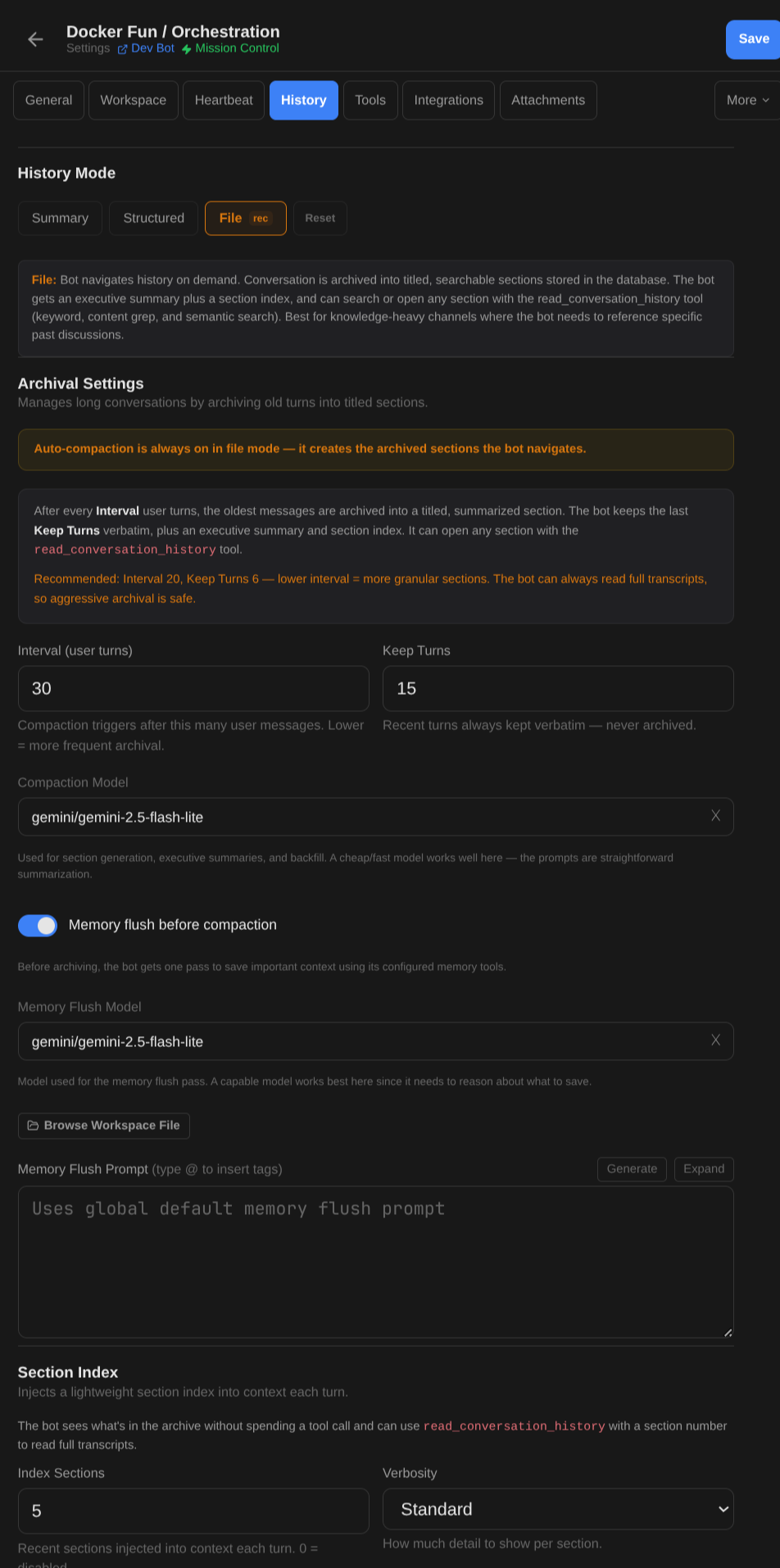
No opaque vector databases. Bots maintain MEMORY.md, daily session logs, and reference documents — all visible files on disk. Conversations auto-archive into titled, summarized sections that are searchable forever.
- MEMORY.md — curated knowledge base (stable facts, preferences)
- Daily logs — automatic session journals
- Reference files — longer guides and documentation
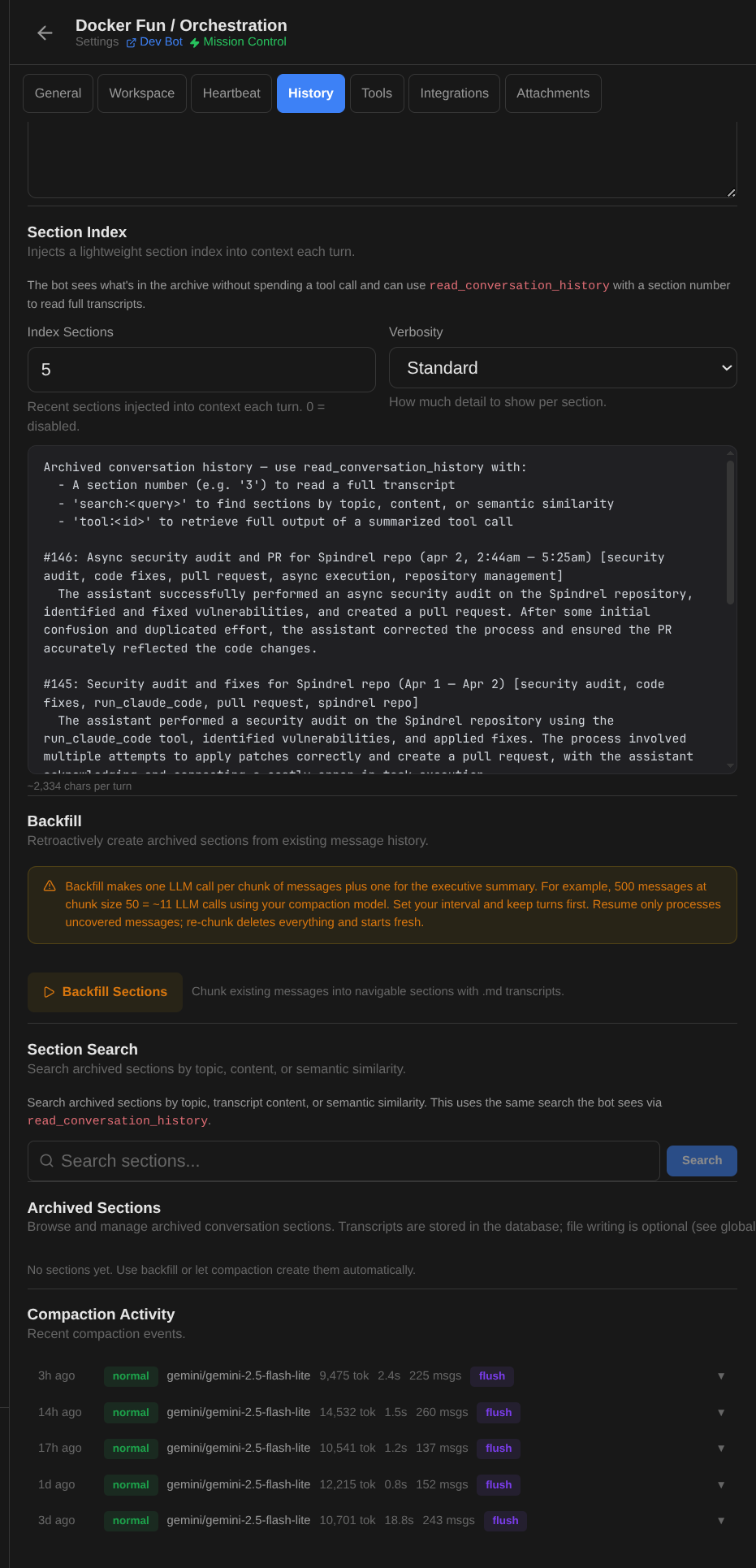
- File-based history: conversations archive into titled sections with executive summaries
- read_conversation_history tool — search by section number, keyword, or semantic query
- Auto-compaction: oldest messages archived on an interval, recent turns kept verbatim
- Memory flush before compaction — bot saves important context before archiving
- Backfill: replay old messages into the section index for existing channels
- Search: keyword, semantic, and full-text transcript retrieval
 Configure
  Browse
 Three tool types, one interface.
Use it for: Bots that create slides, manage tasks, or query databases.
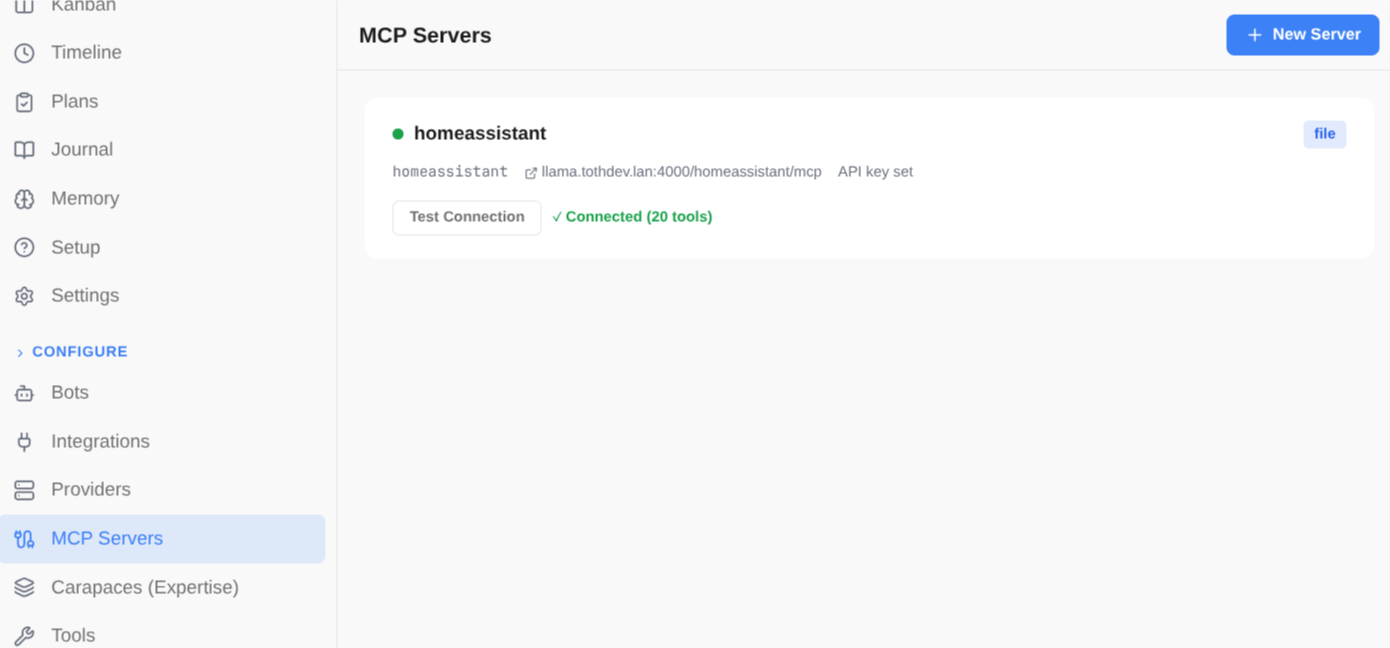
Local Python tools, remote MCP servers, and client-side actions — all presented to the LLM in a unified format. Tool RAG ensures only the most relevant tools are passed per query.
- Local tools: Python functions with @register decorator, auto-discovered at startup
- MCP tools: HTTP endpoints defined in mcp.yaml, proxied seamlessly
- Client tools: shell_exec, TTS, etc. — declared to LLM, executed client-side
- Tool RAG: embeddings + cosine similarity, top-K above threshold
- Pinned tools bypass filtering — always available to the bot
- Integration tools auto-discovered from integrations/*/tools/
Multi-step automations.
Use it for: Content pipelines with draft, review, and approval steps.
Define reusable workflows in YAML with conditions, approval gates, parameter validation, and cross-bot delegation. Trigger from API, bot conversation, or scheduled heartbeats.
- State machine executor with step advancement and condition evaluation
- Session modes: shared (steps share context) or isolated (fresh per step)
- Approval gates — human-in-the-loop for critical steps
- Scoped secrets and parameter validation per step
- Triggered via API, bot tool (manage_workflow), or heartbeat schedule
- Full run history with timeline visualization in admin UI
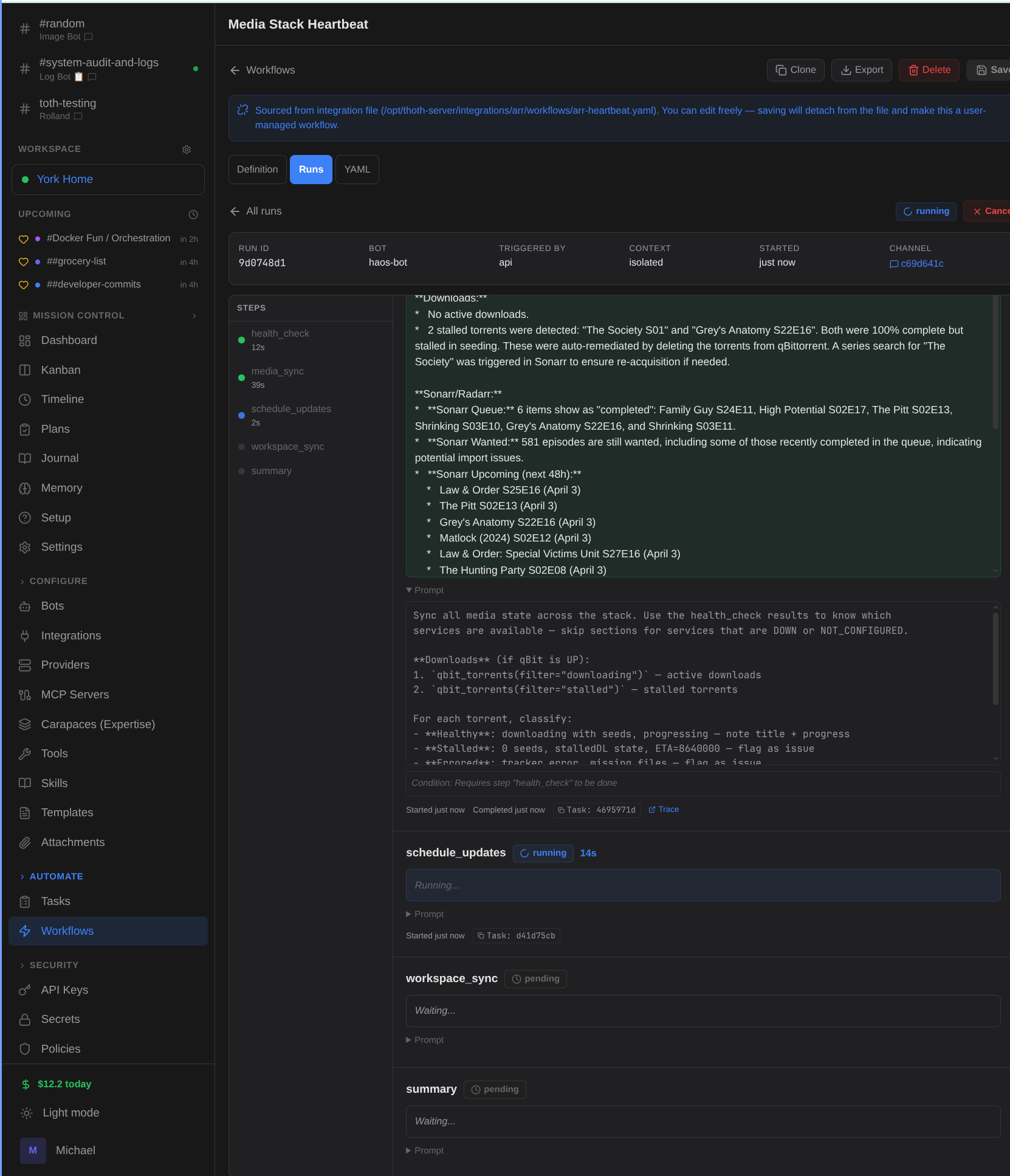
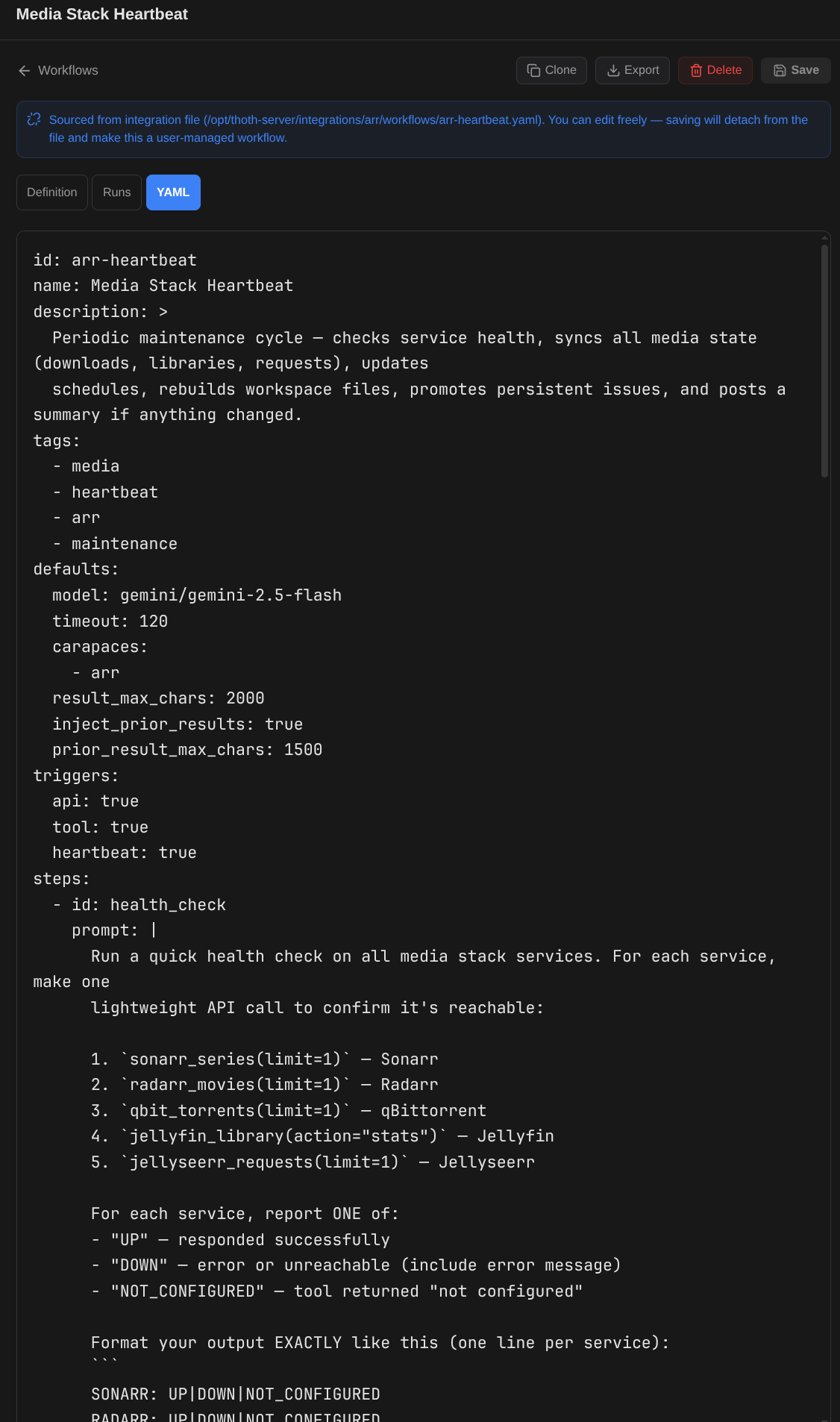 1. Define
  2. Execute
 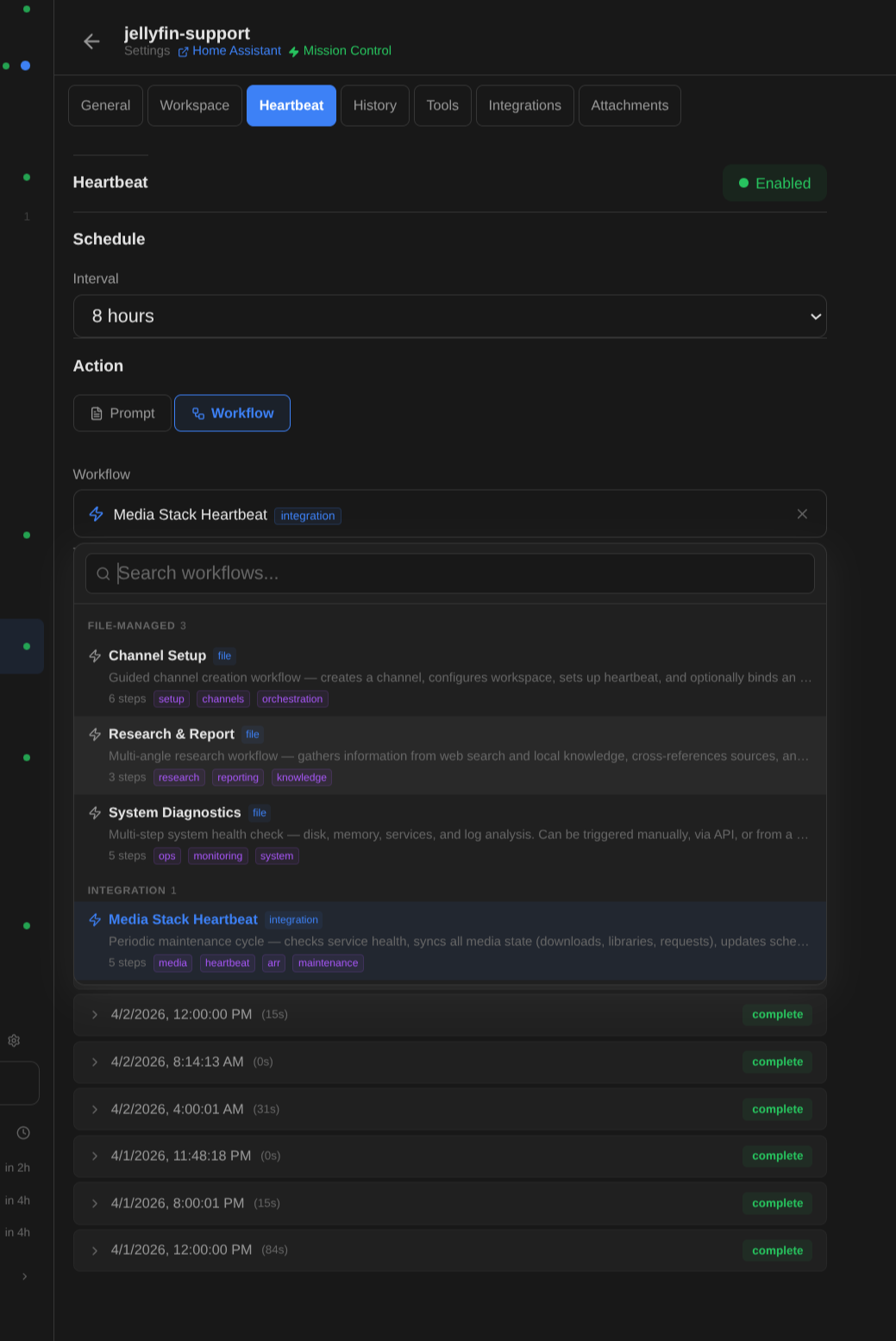 3. Automate
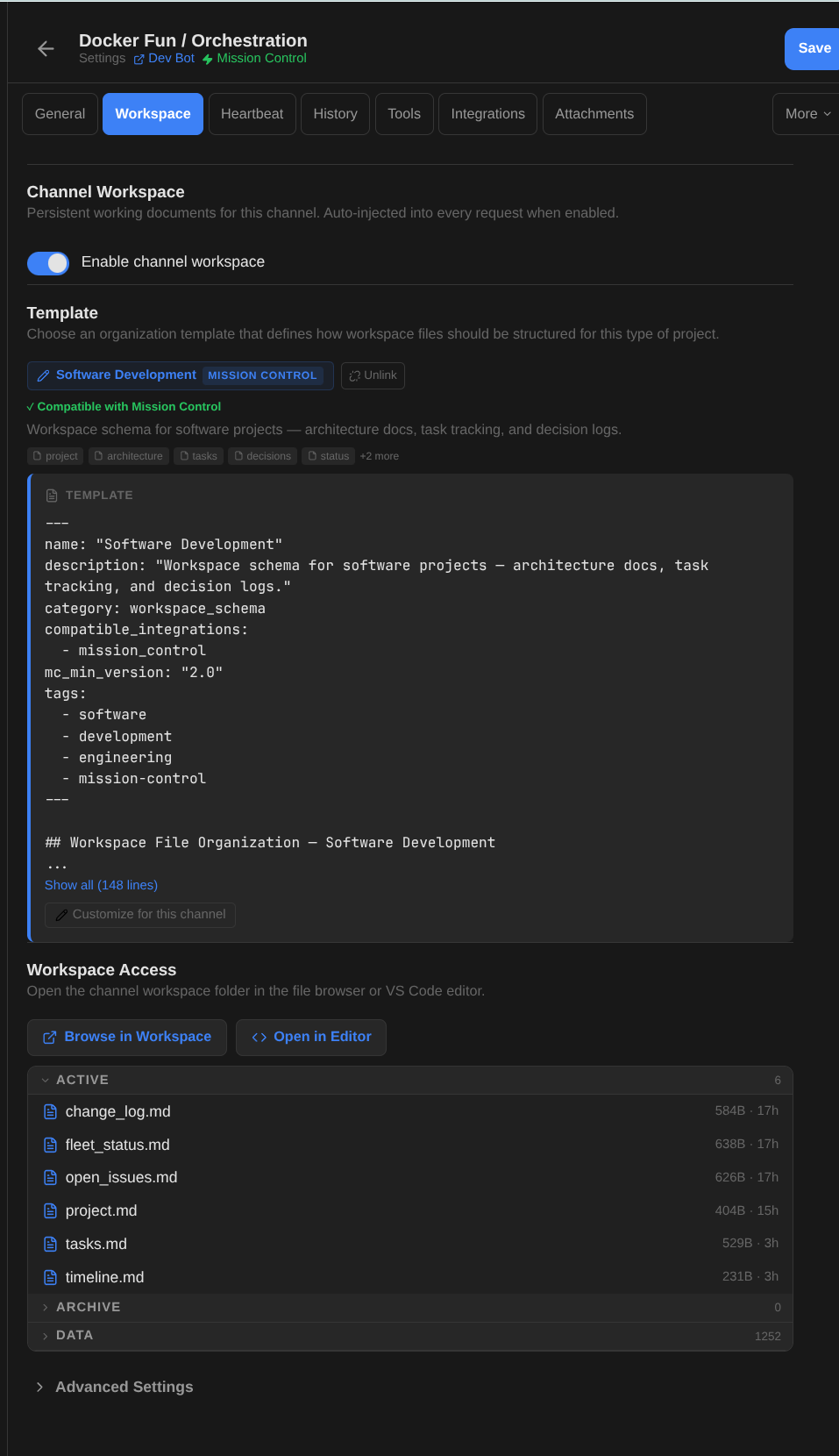
 Per-channel file stores.
Use it for: Each project gets its own organized file store and context.
Every channel gets a workspace with active files (auto-injected every turn), archives (searchable), and data files (listed). Pick a schema template — Software Dev, Research, PM Hub — and the bot knows how to organize its files. Templates declare integration compatibility, so activating Mission Control on a Software Dev workspace just works.
- Active files (.md at root) — injected into context every request
- Archive and data directories — searchable via tools, not auto-injected
- 7 pre-seeded schema templates with integration compatibility tags
- Templates are customizable per-channel — start from a preset, then tweak
- Browse workspace in the admin UI or open directly in VS Code
- Background re-indexing on every message (content-hash makes it cheap)
- Semantic search across workspace files via filesystem_chunks embeddings
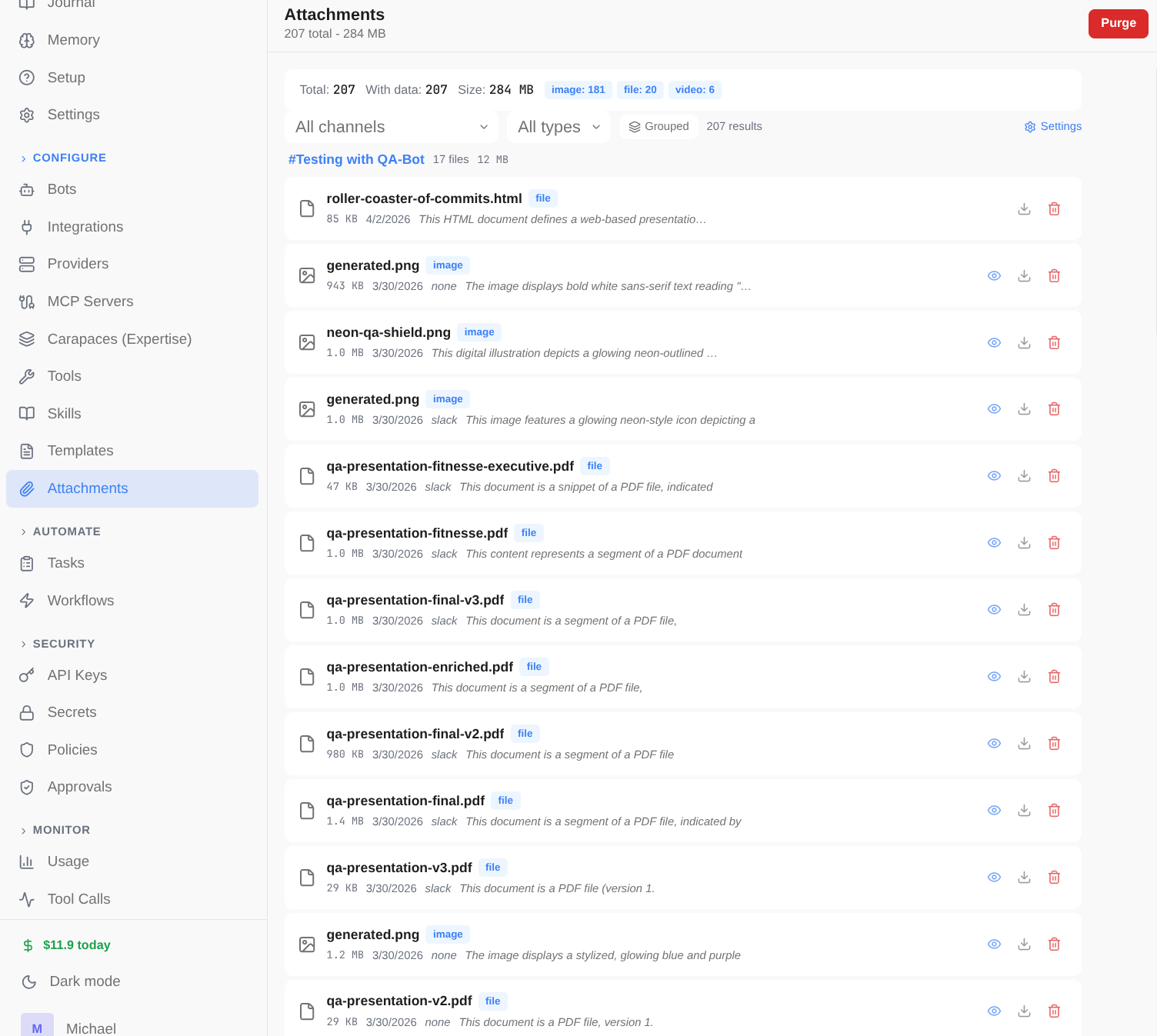
Autonomous operations.
Use it for: DevOps monitors that check systems every hour automatically.
Background workers poll for scheduled tasks and heartbeats. Bots can run autonomously — checking in on projects, sending digests, monitoring systems — without human prompting.
- Task worker: polls every 5s, max 20 tasks per poll
- Task types: agent, scheduled, delegation, harness, exec, callback, api, webhook
- Recurring templates: +1h, +1d, cron-style scheduling
- Heartbeats: periodic check-ins with quiet hours and repetition detection
- Dispatch modes: always (classic) or optional (LLM decides whether to post)
- Rate limit handling with exponential backoff
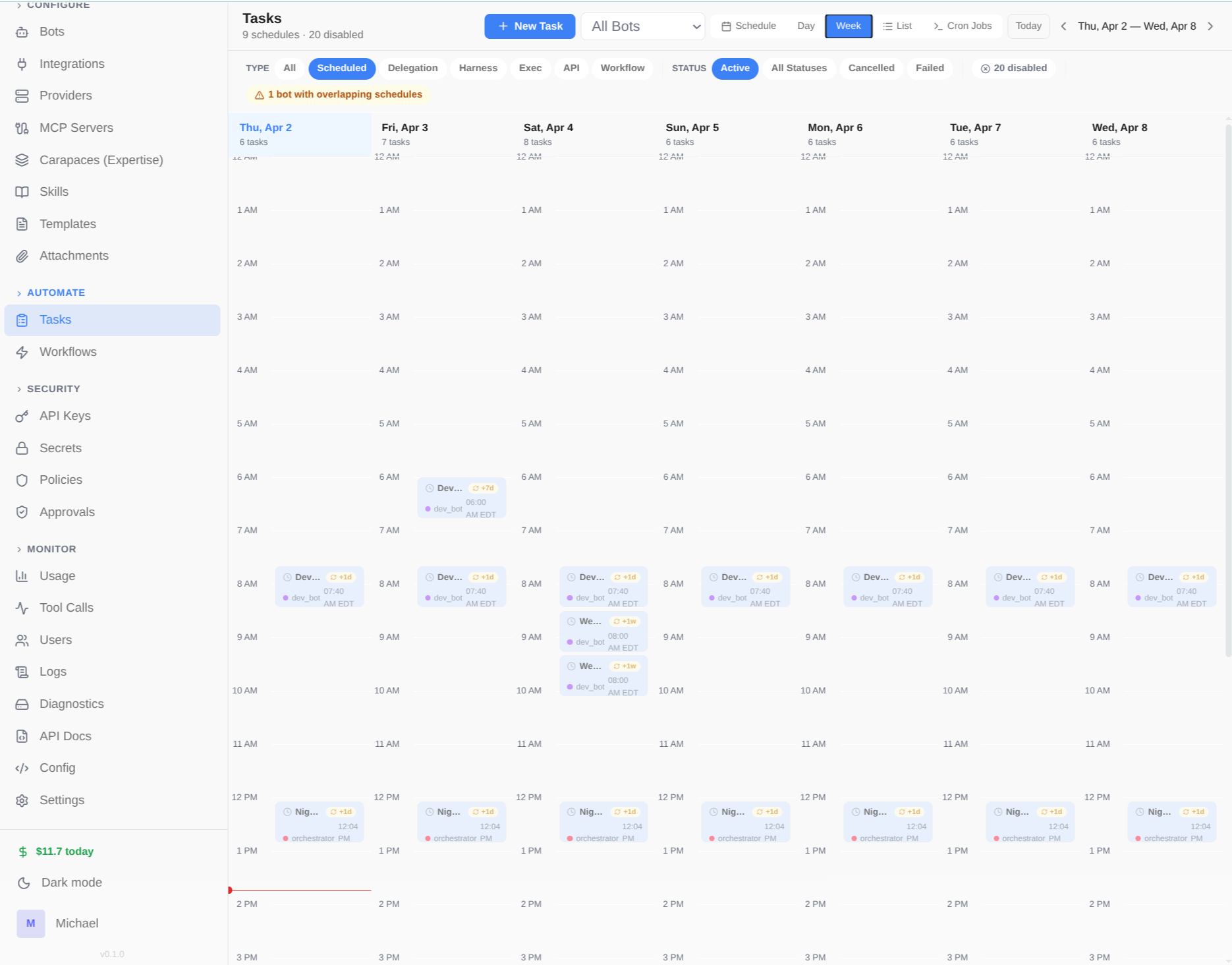
Isolated code execution.
Use it for: Bots that safely run and test code in isolation.
Long-lived Docker containers where bots can execute code safely. Per-bot profiles control access, admin locking prevents unauthorized operations, and configurable resources keep things contained.
- Scope modes: session, client, agent, or shared
- Per-bot sandbox profiles with access control
- Admin locking — restrict specific operations per instance
- Configurable resource limits per profile
- Harness integration — run Claude Code or Cursor inside sandboxes
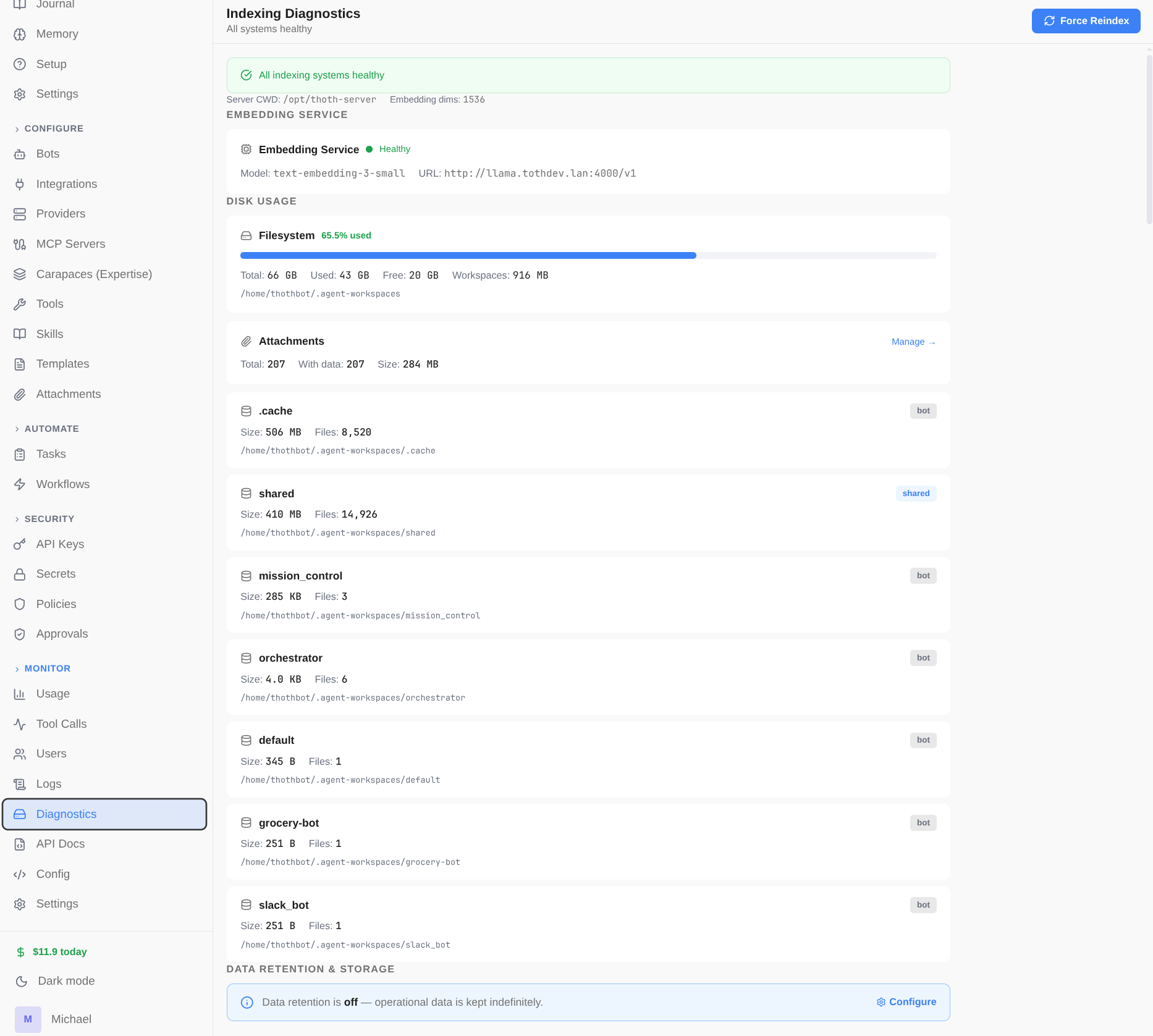
Secrets stay secret.
Use it for: Safe handling of API keys, credentials, and sensitive data.
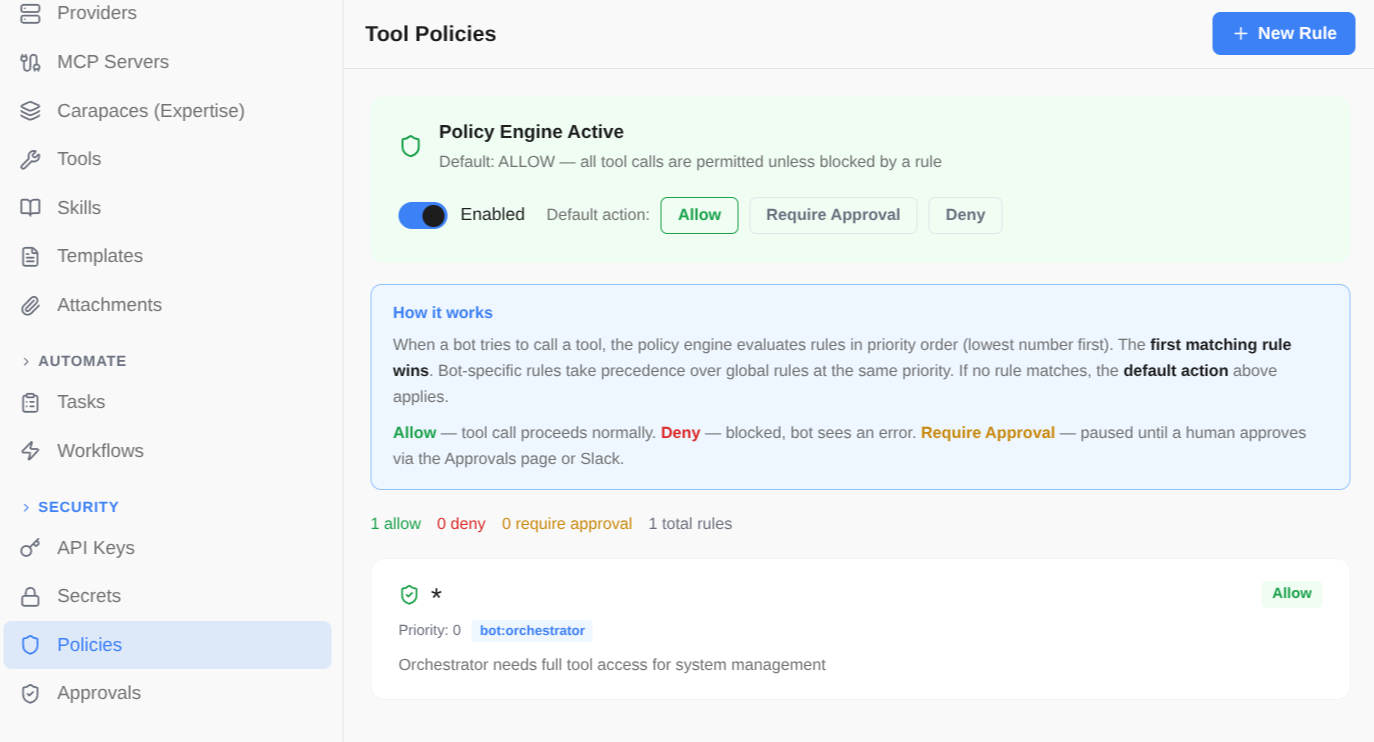
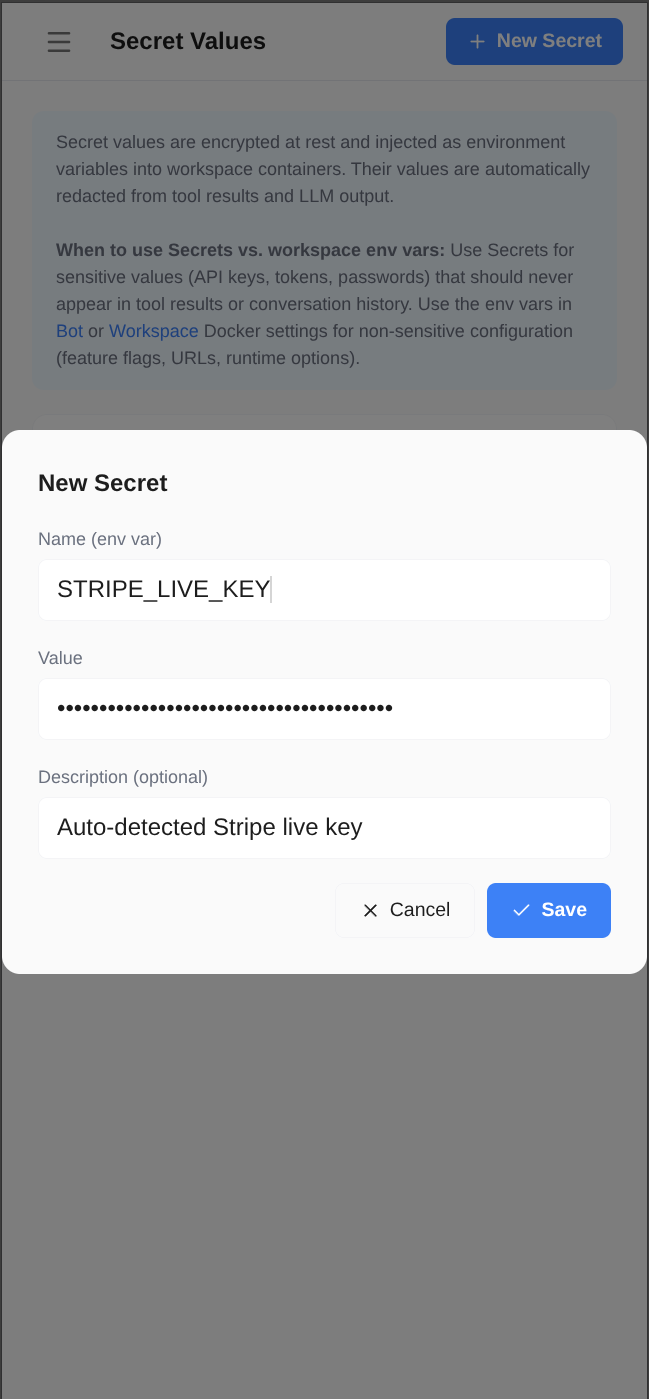
Built-in secret redaction, encrypted vault, prompt injection detection, and tool approval gates. API keys, credentials, and sensitive data are never exposed to the LLM or stored in plaintext. Dangerous tool calls require human approval before execution.
- Automatic secret redaction in tool results, LLM output, and stored records
- Secret values vault with Fernet symmetric encryption
- Tool approval gates — Allow always, Approve this run, or Deny with smart rule suggestions
- Tool policies: per-tool permission rules (allow, deny, require_approval) scoped by bot
- User input pre-flight check for known secrets and common patterns
- Prompt injection detection and security skill for bots
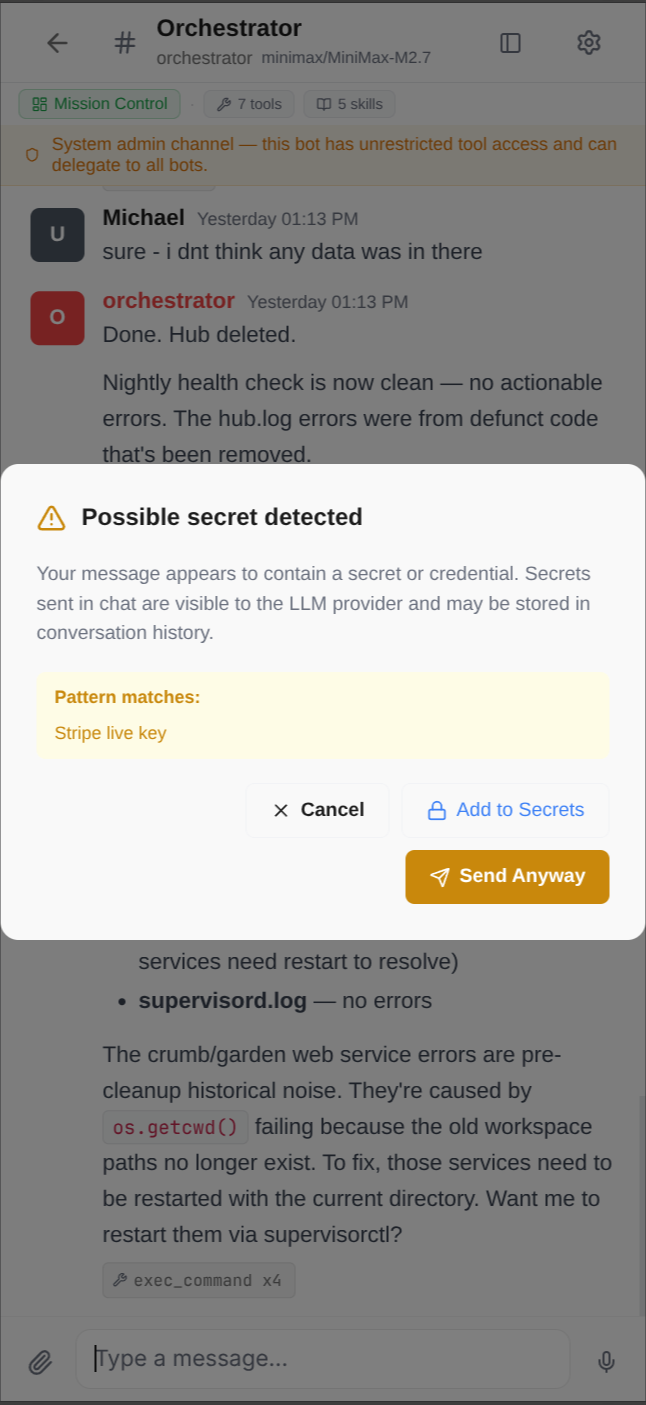 1. Detected
  2. Store
 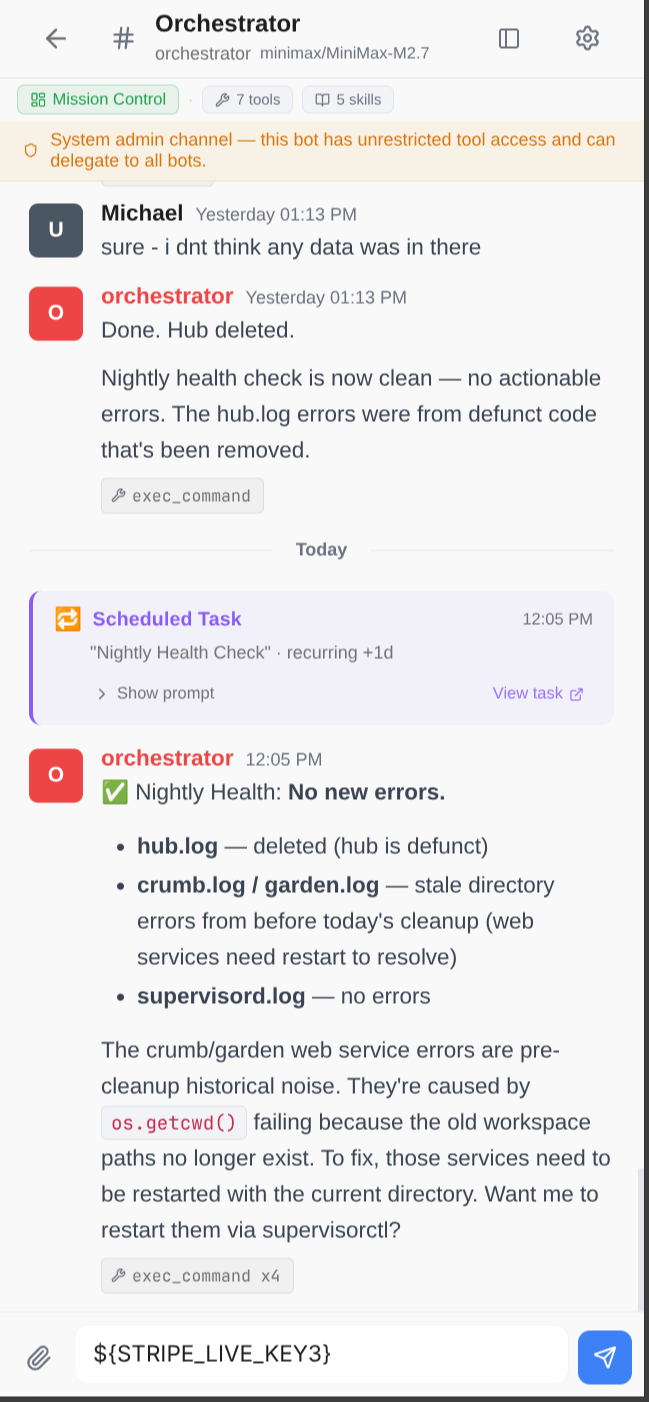 3. Redacted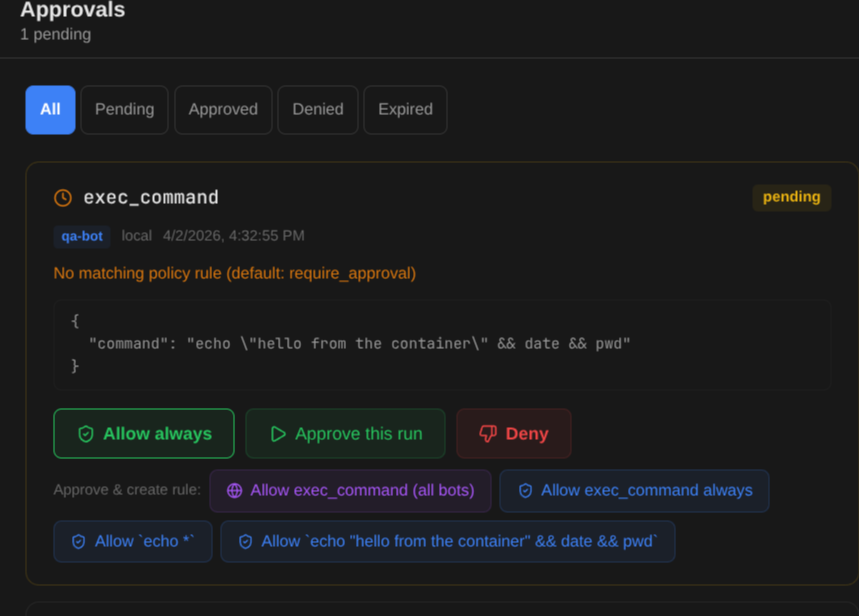
Pluggable by design.
Use it for: Connect to the services your team already uses.
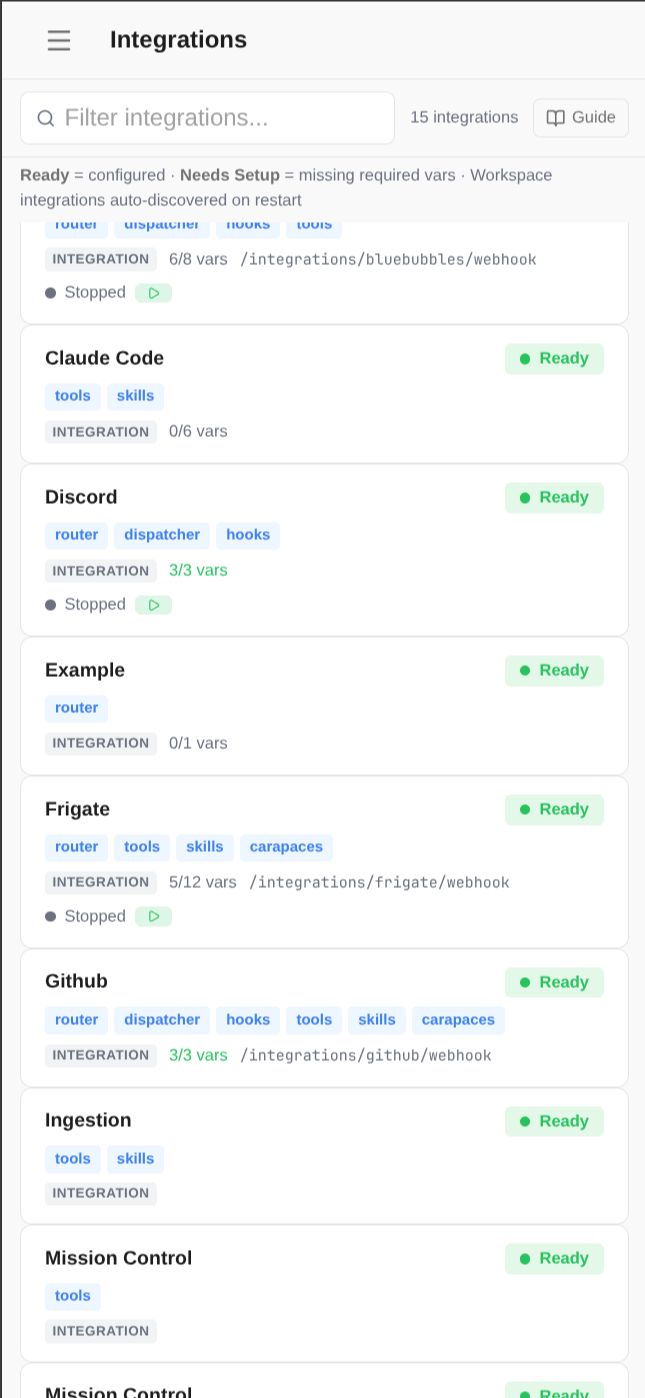
Three-layer architecture per integration: router (webhooks), dispatcher (result delivery), and hooks (lifecycle). Plus auto-discovered tools, skills, carapaces, and workflows.
- 10+ built-in integrations: Slack, GitHub, Discord, Gmail, Frigate, ARR, and more
- Activation system: per-channel carapace injection when integration is activated
- Background processes: Slack bot, MQTT listener, IMAP poller — auto-started
- Custom sidebar sections and dashboard modules in the admin UI
- Scaffold new integrations to /workspace/integrations/ — auto-discovered on restart
Know what you're spending.
Use it for: Budget limits and alerts before costs get out of hand.
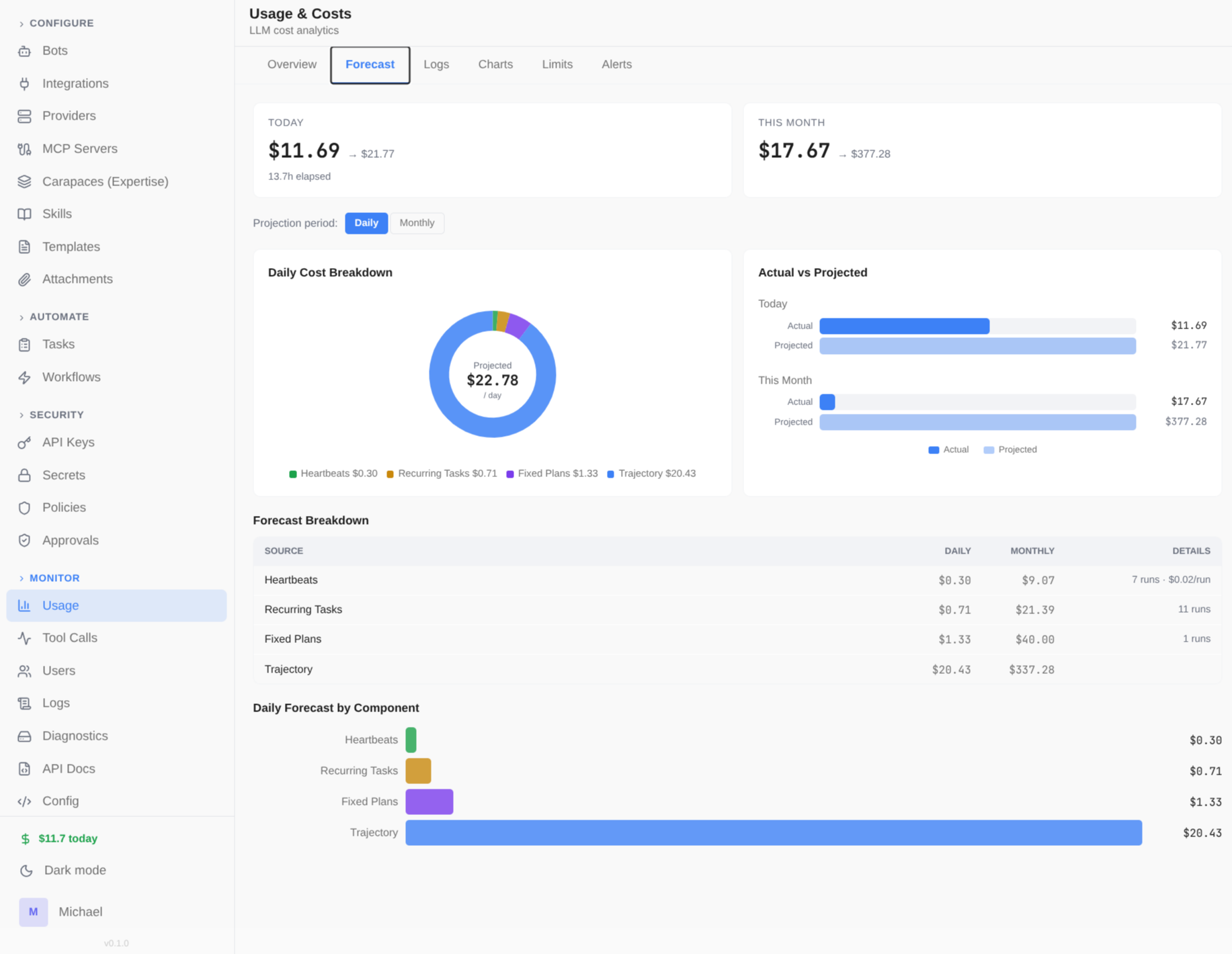
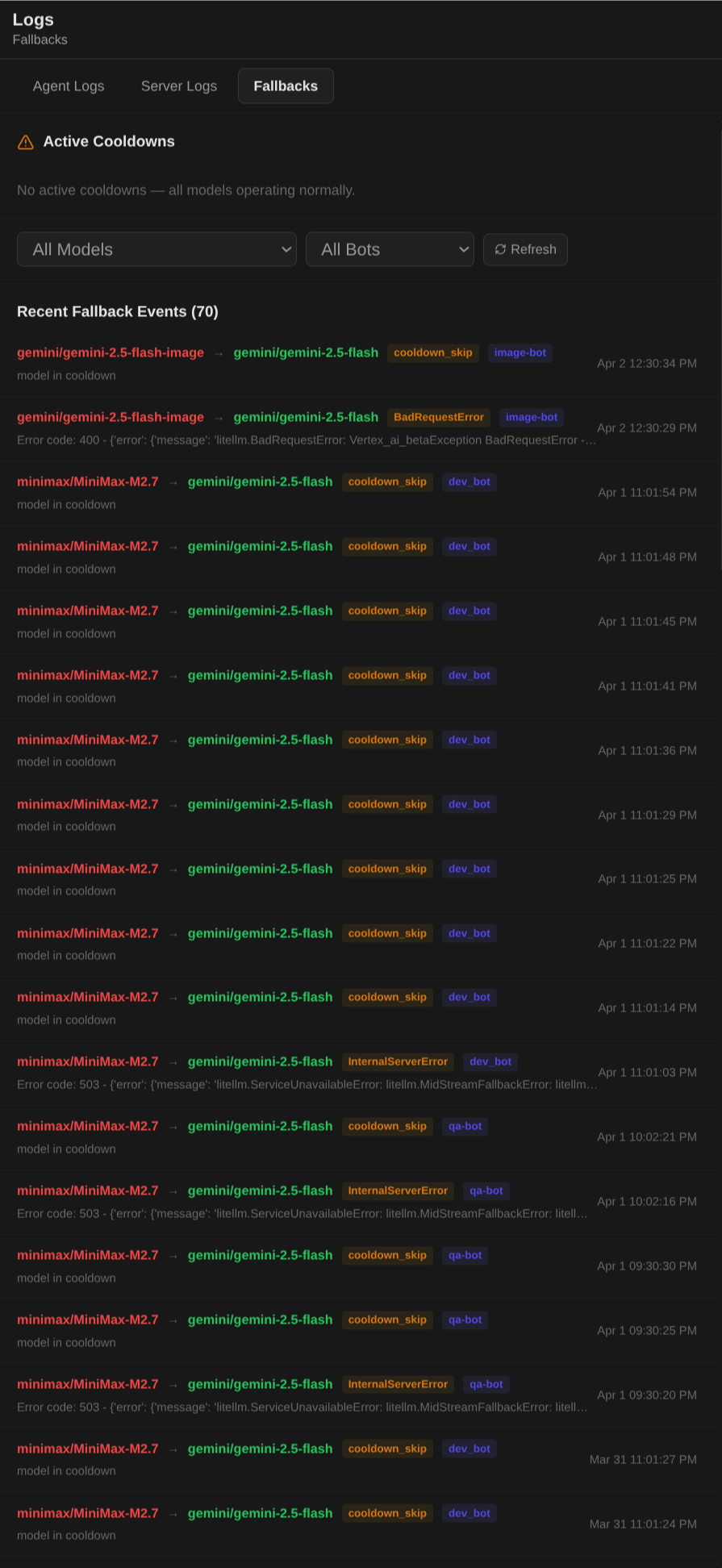
Per-bot token usage, cost tracking, budget limits, and spend forecasting. Dashboard with overview, logs, charts, and configurable limits scoped by model, bot, or time period. Automatic fallback models ensure bots stay online when a provider has issues.
- Multi-source cost data: provider-reported, DB pricing, LiteLLM cache, cross-provider lookup
- Prompt caching discounts: Anthropic 90%, OpenAI 50%
- Budget limits scoped by model/bot, daily/monthly periods
- Spend forecasting for heartbeats, recurring tasks, and fixed plans
- Automatic model fallback with retry and exponential backoff
- Trace-level logging with full call details